File tab
Every step,
kept
A project keeps its past two ways. Versions are snapshots you save on purpose, with a name and a small picture. History keeps every step as you work, without being asked — in the project file (.3dfp), if it is enabled.
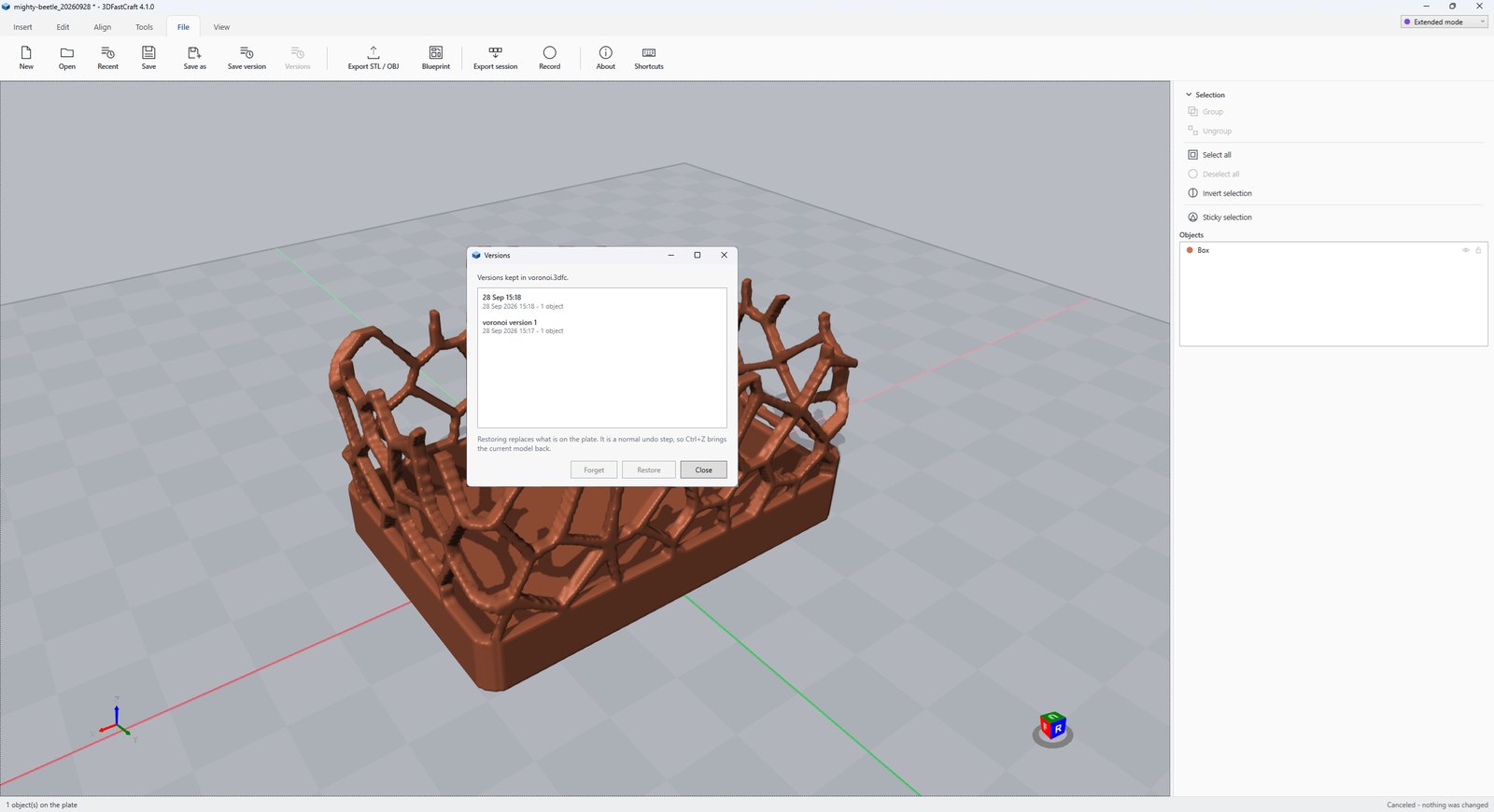
Versions§ 01
- Save the project to a file first.
- Click Save version on the File tab, or press Ctrl+Alt+S, and give it a name. It is kept inside the project, with a small picture of the plate.
- Click Versions to see them all. Double-click one, or pick it and click Restore.
- Restoring replaces what is on the plate. It is a normal undo step, so Ctrl+Z brings the current model back. Forget removes a version.
The project file§ 02
The .3dfp is kept beside the .3mf, and you are asked for it at New or at the first save. It holds the project, its versions and the view where a slicer saving over the .3mf cannot reach them. Open a .3mf a slicer has saved over, and the project is offered back.
Tick Remember my choice for new projects to stop being asked; change it later in File, Project.
History§ 03
- Click History on the File tab (Advanced mode). It needs a project file.
- Every step is there, undo and redo included. Pick one to see the plate as it was after that step, and Go back to this step to return to it.
- Select one object first to see only the steps that changed it — and bring back that object alone as it was, leaving the rest of the plate as it is.
- Forget older steps makes the project file smaller by forgetting every step before the one chosen. It cannot be undone.
Good to know§ 04
- Unsaved work is kept in the project file too, and offered back after a crash.
- History tells objects apart from 4.8 on; steps kept before that are not tied to one object.
- Undo keeps about a gigabyte of steps. Beyond that the oldest go, with an offer to save a version first.
- A
.3dfcproject from before 4.3 opens, without its versions.
More tool guides: Cladding · 3D textures · Windows · Doors · Mold · Voronoi · Connectors · Align to face · Fill up · Pivot · Kit sprue · Repair and Rebuild · Emboss · Printer profile · Download 3DFastCraft, free