Shell
A web of struts following the surface, with nothing behind it. The lamp, the vase, the openwork bust. The skin is how thick the web itself is.
Tool · Tools tab
The Voronoi tool cuts a solid into a web of struts. Use a shell that follows the surface, for a lamp, a vase or an openwork bust. Or use a lattice through the whole volume, to take weight out of a part that still has to be stiff. The result is closed, so it prints.
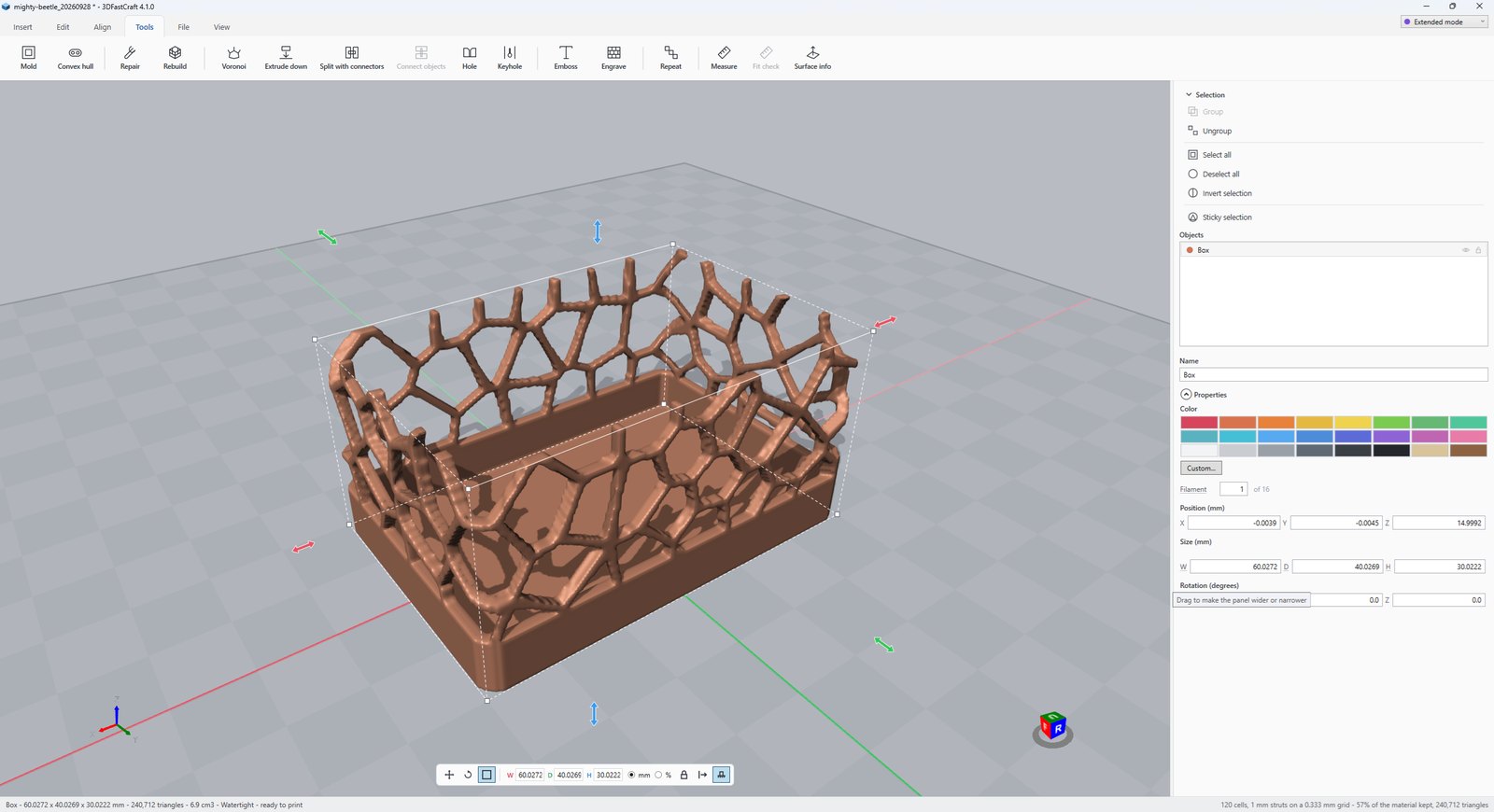
A web of struts following the surface, with nothing behind it. The lamp, the vase, the openwork bust. The skin is how thick the web itself is.
Struts running every way through the whole solid, under a skin: a foam. It takes weight out of a part that still has to be stiff. The skin is the solid face over the foam. Set it to 0 to leave the foam bare.
How many seeds. More seeds make smaller cells.
How wide a strut comes out. Two nozzle widths is the least. The grid has to be able to hold it, so a fine strut needs high detail.
For a shell, how thick the web is. For a lattice, the solid face over the foam. 0 leaves it bare.
How much of the bottom to leave whole, so the part stands up and has a solid first layer to print on. 0 lets the web run all the way down.
How many voxels run along the model’s longest side. Everything is cut on this grid, so a strut finer than about three voxels comes out lumpy.
Takes the grid’s own ripple off the result. Two gentle passes, with no change to the shape. Off is faster and keeps the last hair of detail.
The usual way to make a Voronoi web is to build the cells, make a solid of struts, and subtract it. With hundreds of cells that is slow, and it often leaves holes in the mesh.
This tool does it another way. Every point in space belongs to its nearest seed. A point is on a wall between two cells when its nearest two seeds are almost equally near, and on an edge when the nearest three are. That is all it has to ask, so no cells are ever built and nothing is subtracted. The material it keeps is turned into a surface in one step, so the surface cannot have gaps.
A shell wants the walls. A lattice wants the edges: walls through a volume are plates that fill it, so a lattice made of walls comes out a solid block with bubbles in it.
More tool guides: Cladding · 3D textures · Windows · Doors · Mold · Connectors · Align to face · Fill up · Pivot · Download 3DFastCraft, free