3DFastCraft Get 4.7.0

4.7.0  ·  Windows 10 / 11  ·  64-bit  ·  free

Create Fast.
Shape Easy.
Print Simple.

A lightweight 3D modeler for everyone on Windows: drop in shapes, type exact sizes in any unit, cut and combine them, and export a watertight .stl ready to print. No learning curve. No cloud. No account. No installer. Just one file that opens in a second.

The Library — more than forty parts made to your numbers, from a box with a lid to a roof for a model house and the wheels behind a clock’s hands, each mechanism a working model to print and turn by hand. And Cladding and 3D textures to dress them: brick, rubble and coursed stone, siding, log walls, bark and wood grain.

Download 3DFastCraft 4.7.0 198 MB · v4.7.0 · nothing else to install · older versions
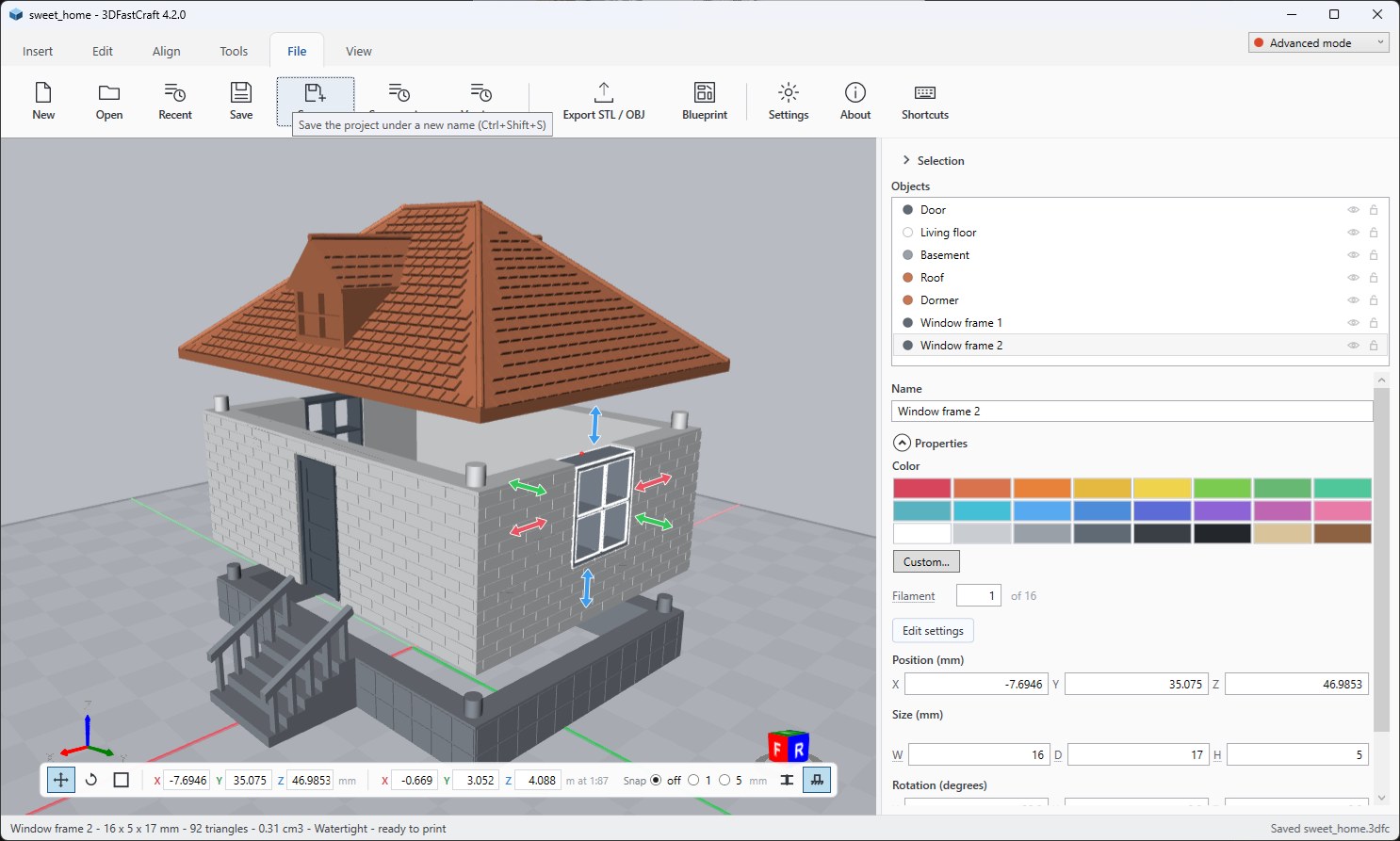
3DFastCraft with a 1:87 house on the build plate: a tiled hip roof with a dormer, brick walls with a door and windows, a basement and a stair from the Library
1 : 87  ·  seven parts  ·  watertight
Units
mm · cm · m · in · ft
Plate
20–2000 mm
Out
3MF project · STL · OBJ
Runtime
None required
Network
Never

What it does§ 01

Shapes, then arithmetic

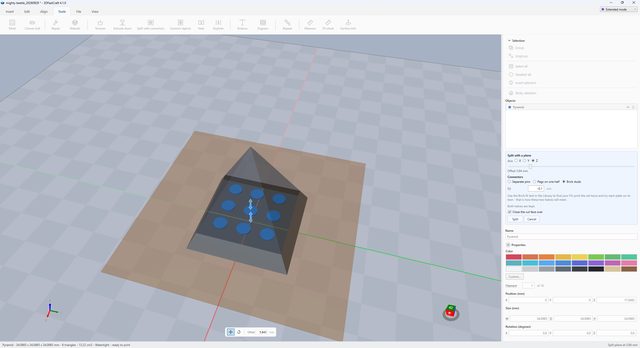
Nine primitives on a 10 mm grid, or a custom one with its segments and roundness chosen before it is made. Type the size you want — not drag it and hope. Subtract, Intersect and Merge run on Manifold, a geometry engine that does not tear, and every result is checked: if one would not be watertight it is refused, and your object is handed back untouched.

  • Cube
  • Cylinder
  • Cone
  • Sphere
  • Pyramid
  • Wedge
  • Torus
  • Hexagon
  • Tetrahedron
  • Custom
  • Stair

Molds, worked out for you

Point it at a model and it decides which way the mold comes apart — a ring gets pulled along its hole, not across it — cuts at the widest section, keys the halves together, and drills the pour hole at the high point, with vents where a flat pocket would trap air.

Surfaces that read as material

Fourteen patterns — knurling, honeycomb, brick, roof tiles, planks, siding, rubble and coursed stone walls, bark, wood grain — each shown flat and in 3D before you apply it. Cut in or standing proud, on any flat face (even one that already has windows in it), around a barrel with no seam, or around the walls of a house. See the 3D textures. For brick, stone, siding and log walls with real corners, use Cladding.

Lettering and drawings

Any installed font, or the filled shapes of an SVG. Cut, raised, beveled, and wrapped around a barrel or a ball — or bring the drawing in as a solid of its own.

Mend what will not print

Weld, cap holes, turn inside-out shells the right way. When that is not enough, Rebuild remakes the surface from scratch and Hollow turns a solid into a shell — with one side left open, if it needs one.

Measure, and check it fits

A tape that snaps to corners and edges, either end draggable. Fit check answers the question a render cannot: do these two parts actually meet, and by how much?

Parts that go together one way

Cut a part too big for the plate and pin the halves, or pin two parts that already rest on each other. Pins go only where there is solid around them, spread out toward the edges, and pegs stand up out of the lower part — nothing hangs off an underside, and every one is marked on the cut before it is made. Or join them with brick studs, which hold by grip.

Twist, taper, bend

Turn a shape more the higher it goes, narrow it to a spire, or curve it over like a horn. Edges are broken up only where the curve needs them, so a twisted column stays light — and nothing is cut, so nothing can tear.

Brick-compatible

Studs on any flat face and the brick underside that goes over them, on the 8 mm grid — on a brick, a disc or a scan cut flat. A printable Fit test finds the tolerance your filament needs.

A flat base under anything

Extrude down cuts at a height you drag and carries the outline straight to the plate: a clean plinth under a scanned bust with a ragged neck, a body under a relief that is only a skin.

The files slicers want

The project is a 3MF — 3D Builder's own format — that a slicer opens as it stands, with parts, names, colors and units kept. STL and OBJ in and out; SVG drawings come in as solids. Drop a file on the window and it comes straight in — a dropped project asks first whether to open it or join it to the plate.

It tells you when it is not sure

Watertightness is checked on every export, and every risky operation says plainly what it did — or refused to do, and why. A modeling tool for printable parts should be hard to leave broken quietly. That is the whole design brief.

Tool guidesguides

Each of these tools has a page of its own: how to use it, every setting in plain words, and pictures of what it makes.

Cladding

Brick, stone, siding and log walls built the way the real thing is: whole corner bricks, cornerstones, posts over the boards.

Read the guide →

3D textures

Fourteen patterns for any face - knurling, brick, roof tiles, rubble wall, bark, wood grain - shown flat and in 3D.

Read the guide →

Windows

Fixed, single hung, sliding and casement windows with muntins, an architrave and false shutters, ready to print.

Read the guide →

Doors

Single, double, French and Dutch doors, square or arched, with sidelights, a fanlight and clear glass.

Read the guide →

Mold

A silicone mold that comes apart: split at the widest section, keyed, with a pour hole and air vents.

Read the guide →

Voronoi

Turn a solid into a web of struts: an openwork lamp or vase, or a light lattice that is still stiff.

Read the guide →

Fill up

Fill what a cup, a box or a recess would hold if you poured liquid in, to a level, as a solid or a part of its own.

Read the guide →

Pivot

Choose the point a part turns and is measured about: a gear on its shaft, a lid on its hinge.

Read the guide →

Made with it§ 02

A 1:87 house built entirely inside the app, by driving its own buttons — then checked by ray-testing the exported STLs against a list of points. 74 checks, all passing.

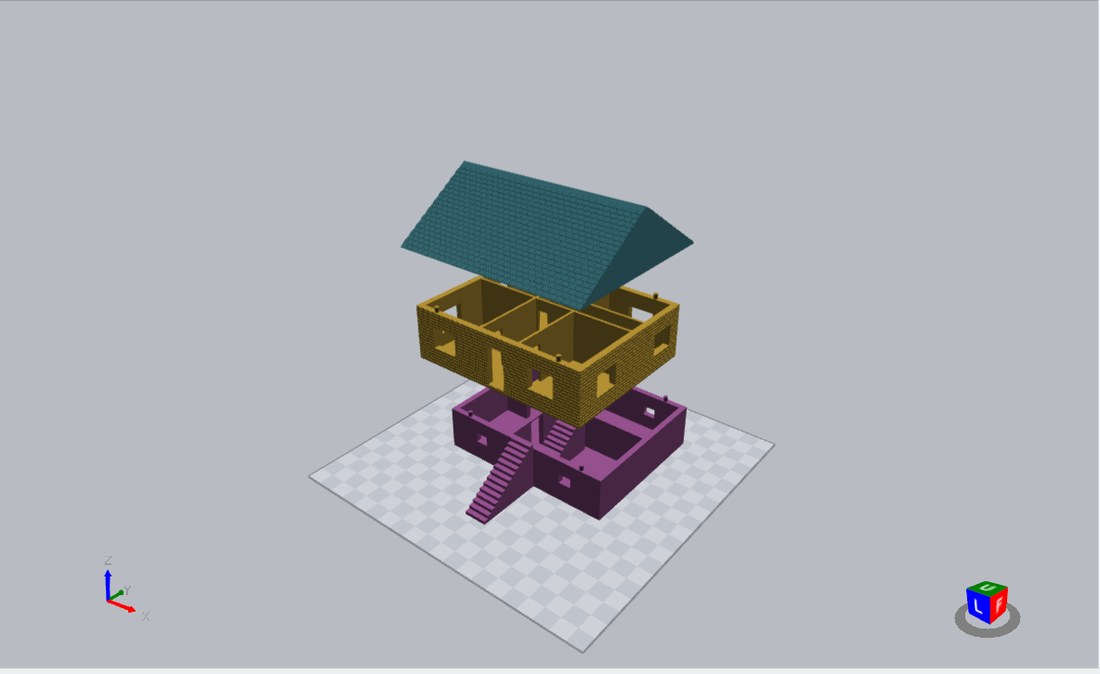
Three printed parts of a 1:87 house shown apart: basement, living floor and roof
Fig. 01 Three parts, no glue — dowel pins between each pair
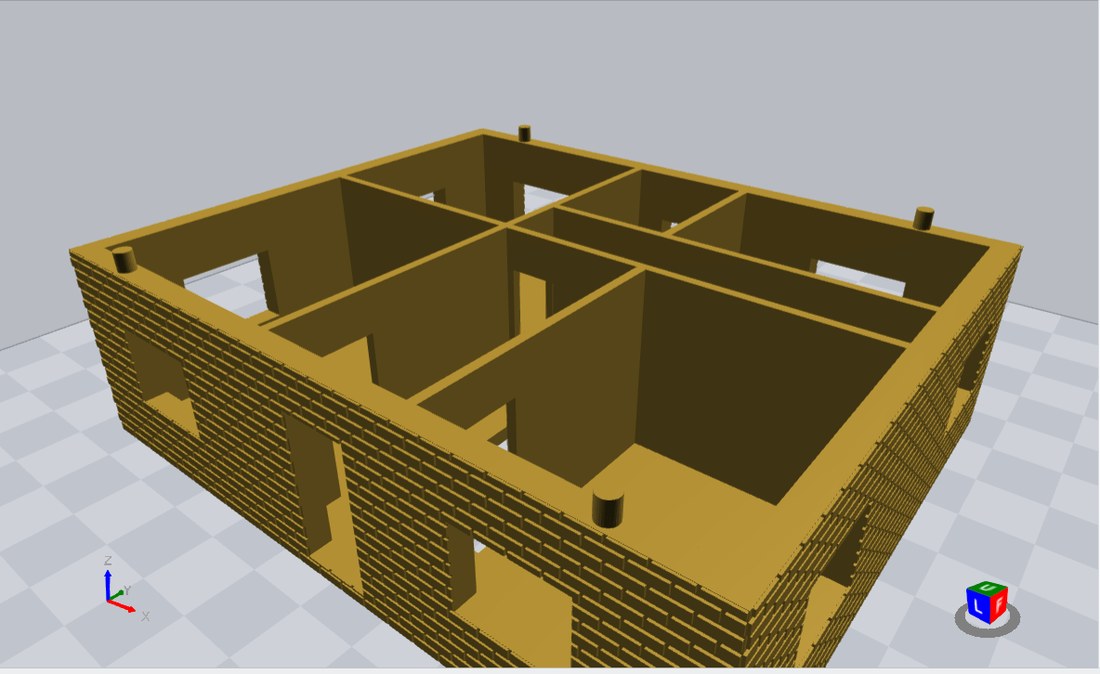
Brick courses laid around window openings that were already cut
Fig. 02 Brick laid around openings already cut
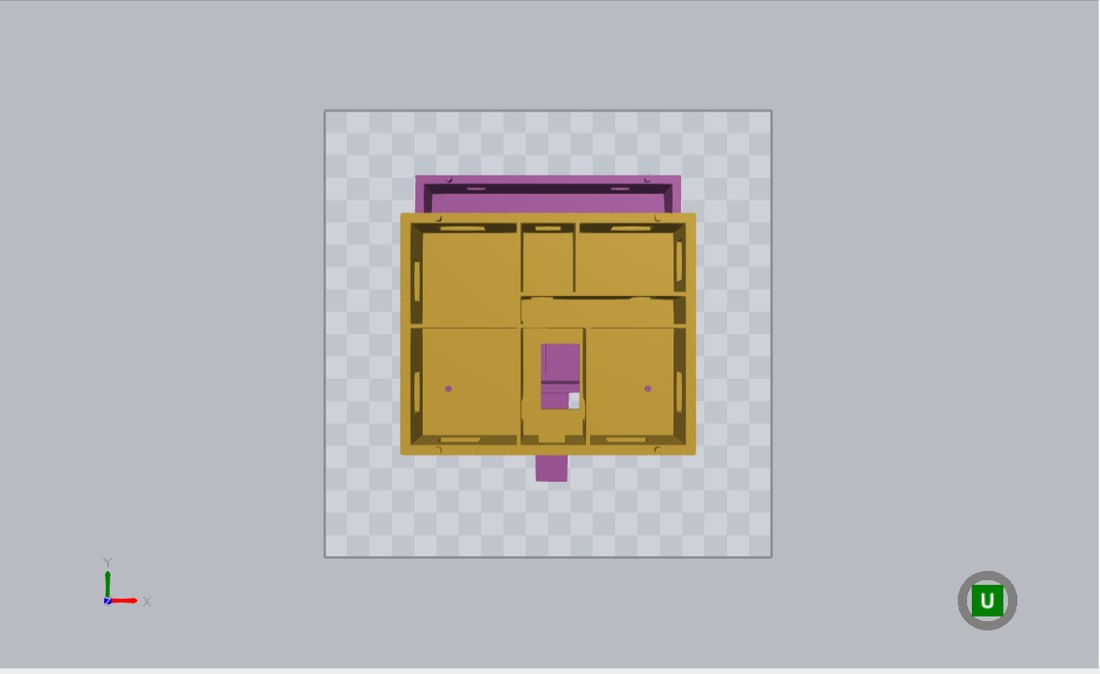
Plan view of the interior layout: six rooms, a hall and the stair opening
Fig. 03 Interior layout, roof lifted off
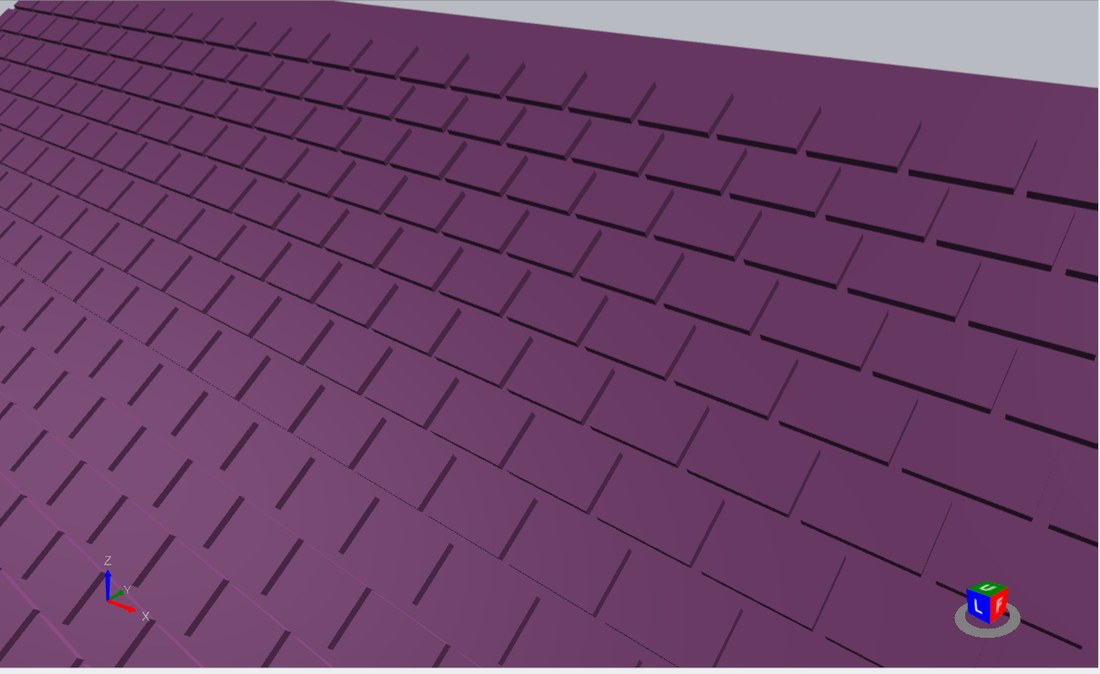
Close-up of roof tiles, staggered courses with a heavier line under each
Fig. 04 Roof tiles at 30 × 20 cm, to scale
A pen pot in two filaments: an orange outer shell with lettering cut clean through it, a blue sleeve showing through the letters, and a pierced blue base beside it
Fig. 05 Two filaments, three parts — the letters are cut through the shell and the sleeve behind shows in the second color

Seven tabs, and what is on each§ 03

The ribbon is split by what a tool changes: Edit changes the thing itself, Align changes where it sits, and Tools is the work around it — measuring it, mending it, casting it, and building it into parts that fit together. Nothing is buried in a menu. And if all of it is more than you came for, Classic mode puts the ribbon back to the tools 3D Builder had, and the Custom tab gathers whichever buttons you use most in one place. Whichever mode you pick, every key still works and no tool’s own settings are hidden — only its button.

§ 03.1

Insert

Nine primitives, a Custom shape with its size, segments and roundness chosen first, and the way in for anything made elsewhere. Every shape lands on the plate at a sensible size and takes the next color in a cycle, so a scene stays legible without anyone painting anything. Text makes lettering as an object of its own, in any installed font — flat, or bent around a circle or a cylinder. Sketch draws your own outline on the plate — lines, arcs, curves, freehand, rectangles, circles, or an SVG loaded in — and extrudes or revolves it into a solid. While you draw, the pointer’s X and Y are read off the axes and every line carries its length; a right-click finishes it. Import reads STL, OBJ and 3MF, and SVG drawings as solids; another 3DFastCraft project joins the plate rather than replacing it.

The Library (Advanced mode) holds the parts made to your numbers — boxes, hinges, fasteners, gears, windows, roofs, lithophanes, and the Fit test plates that find the tolerance brick studs need. See below.

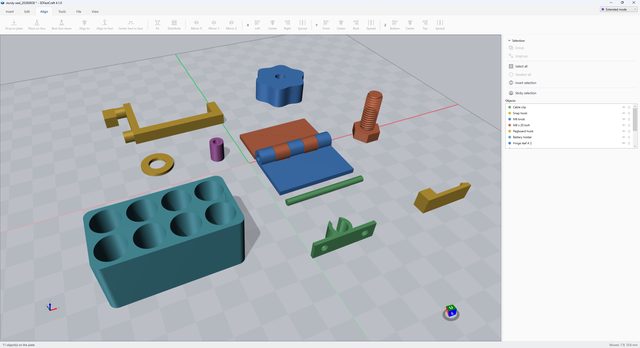
On the plate: one of nearly everything on the tab — the nine primitives, a gear and its partner, a ratchet and pawl, an M8 bolt and nut from Thread, brick-stud fit plates, and the app's own name from Text — with the hexagon selected and its move arrows on it.

The Insert tab of 3DFastCraft: the nine primitive shapes, gears, a ratchet, a bolt and nut, and 3D lettering on the build plate

§ 03.2

Edit

Everything that changes the selection, down to its color. Undo and redo, Copy, Cut and a Paste that lands exactly where the thing came from — even in another window of the app — duplicate beside or in place, and delete.

Set pivot puts the point a part is measured and turned about wherever you click, instead of the middle of its bounding box — a gear turns on its shaft, not on the outline of its teeth; Pivot to center puts it back. Then Round, Twist, Taper and Bend to reshape it, Simplify and Smooth for a dense import, Hollow to save material, and Fill up, which fills what the part would hold if liquid were poured in from above, to a level — as a solid, or as a part of its own that fits the inside exactly.

Grow and Shrink move every face by the same distance rather than scaling — walls get thicker or thinner, gaps narrower or wider, corners stay sharp, and the height can be kept. Trim cuts a part back round its outer edge only, so an insert fits inside other walls while its partitions keep their thickness.

With several parts selected, the Move, Rotate and Scale handles treat them as one object; the Each button gives every part its own center and axes instead.

On the plate: a plain cylinder twisted into a vase, 50 × 50 × 80 mm and watertight, with the resize handles on it and the whole tab behind — undo through to color in one row.

The Edit tab of 3DFastCraft: a cylinder twisted into a vase, selected, with the resize handles on it

§ 03.3

Align

Where a thing sits, without changing the thing. Drop to plate, or Drop down until it rests on whatever is under it. Place on face lays a part on a face you pick — every face it can rest on is marked — and Best face down picks the face for you. Mirror it, and line a selection up on any axis — flush either side, centered, or spread evenly.

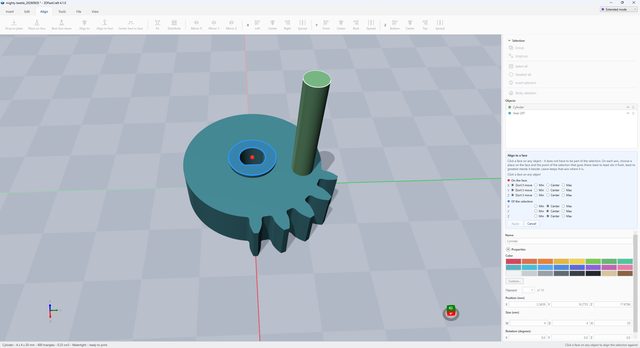
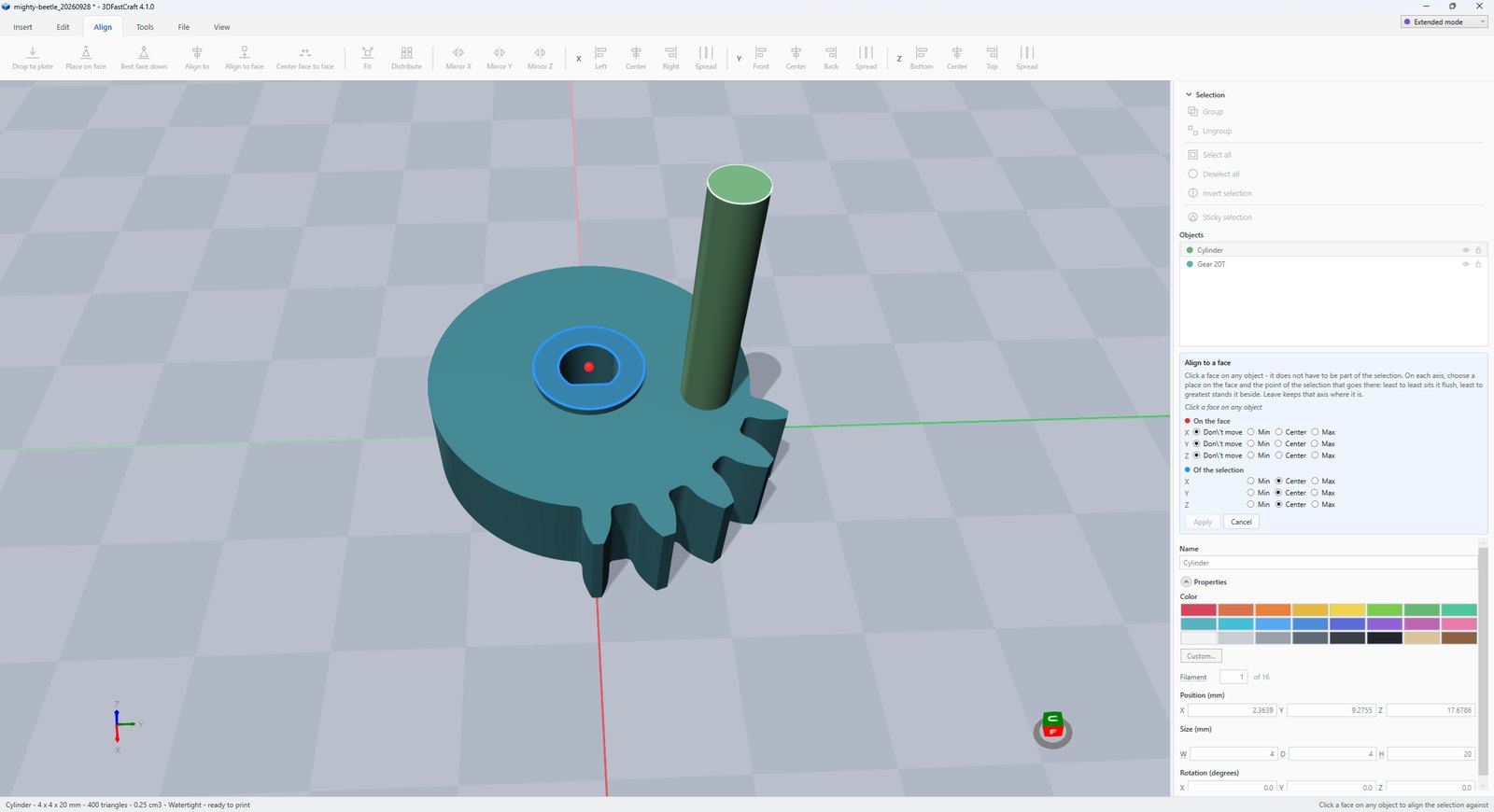
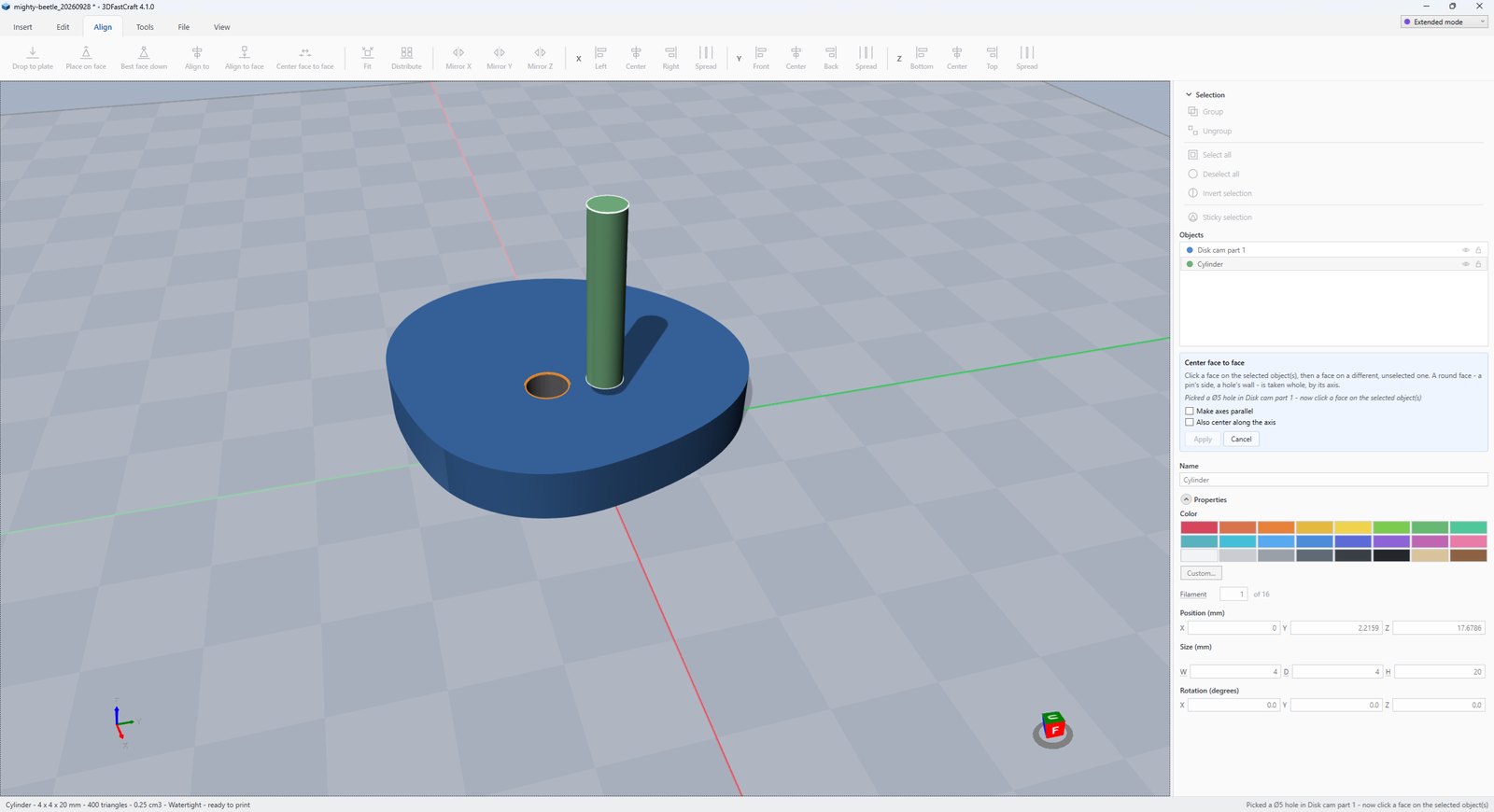
Align to centers one object on another. Align to face stands the selection against a face you click, or the middle of a hole, round or square, on whichever axes you choose. Center face to face puts the middle of one face on the middle of another, and reads both sizes and the gap. Fit shrinks a part that is too big for the bed, and Distribute sets a selection out in rows across it — and can turn each part onto its best face and drop it to the plate, ready to print.

On the plate: four M8 bolts spread evenly along Y, the whole selection moved as one — the status line says what it did.

The Align tab of 3DFastCraft: four printed bolts spread evenly along the build plate

§ 03.4

Tools

Cutting and joining first. Boolean arithmetic on Manifold with the app’s own BSP engine behind it — Subtract, Intersect and Merge. Any of it can be stopped part-way and leaves the model as it was; if a result would not be watertight it is refused and the objects are handed back untouched. Split takes a plane you can slide, tilt by dragging a ring, or set to a face you click. While you aim it the half that would be thrown away is faded, so you see what you are keeping before you commit — and the cut goes through the triangles rather than through the boolean, so a 200,000-triangle scan splits in a twenty-fifth of a second with both halves closed.

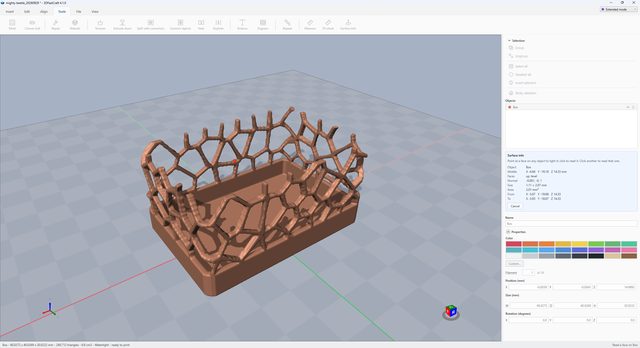
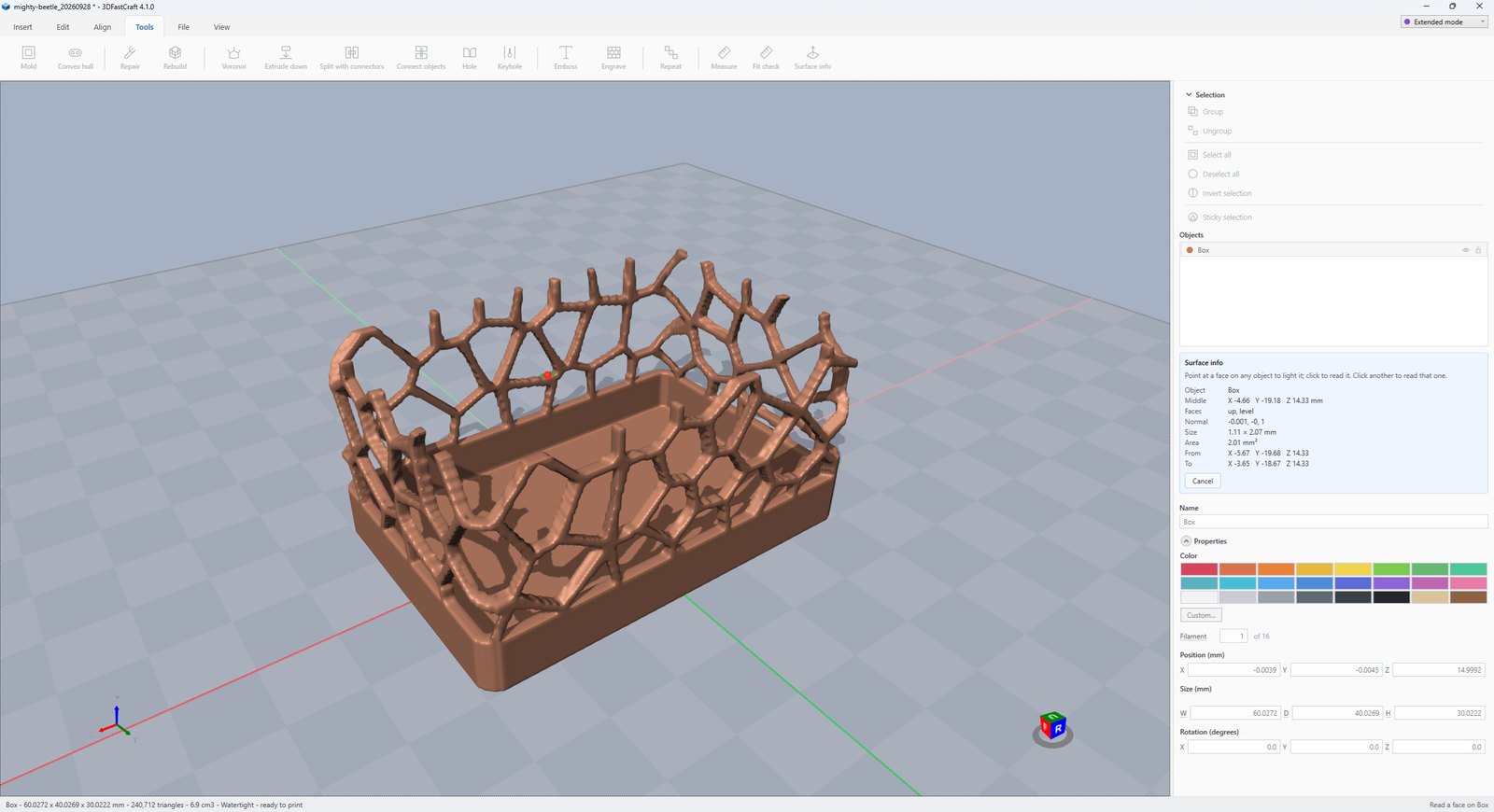
Measure, Fit check and Surface answer a question — how long, how far two parts overlap, and a face’s middle, direction, size and area. Measure snaps to the corner nearest you, chains several points with a total and reads the slope of a stretch; Surface can lay a face again from its outline, or clone it as a thin solid for a frame or a gasket. Repair mends a model that will not print, and Rebuild either keeps the shape and drops the points that add nothing — the web of thin triangles a subtract leaves — or remakes the surface from scratch when nothing else can. Mold makes a block to cast silicone in, cut so the casting comes out, with registration keys, a pour hole and air vents.

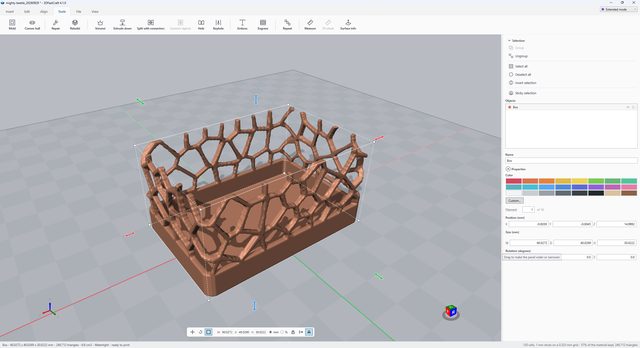
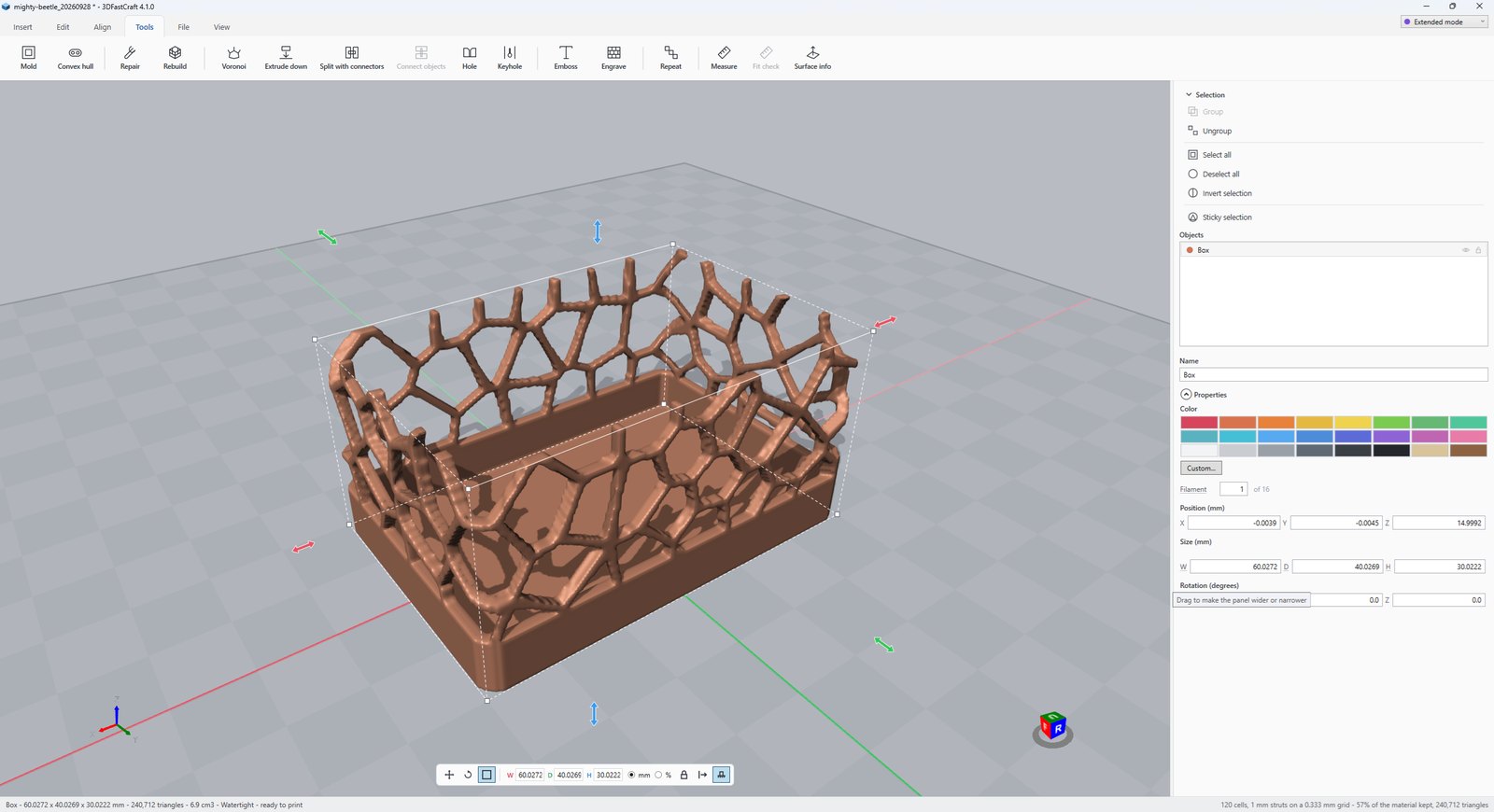
Voronoi cuts a solid into a web of struts — a shell that follows the surface for a lamp or a vase, or a lattice through the whole volume to take weight out of a part that still has to be stiff. Convex hull wraps a selection in one skin, Extrude down puts a flat base under a scan, and Repeat copies a part along a line, around a circle or in a grid. Studs puts brick studs, or the underside that grips them, on any flat face.

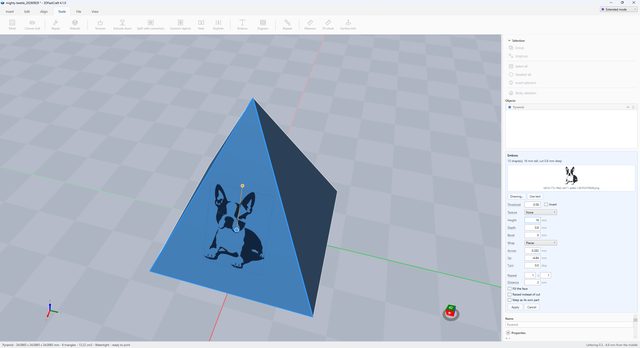
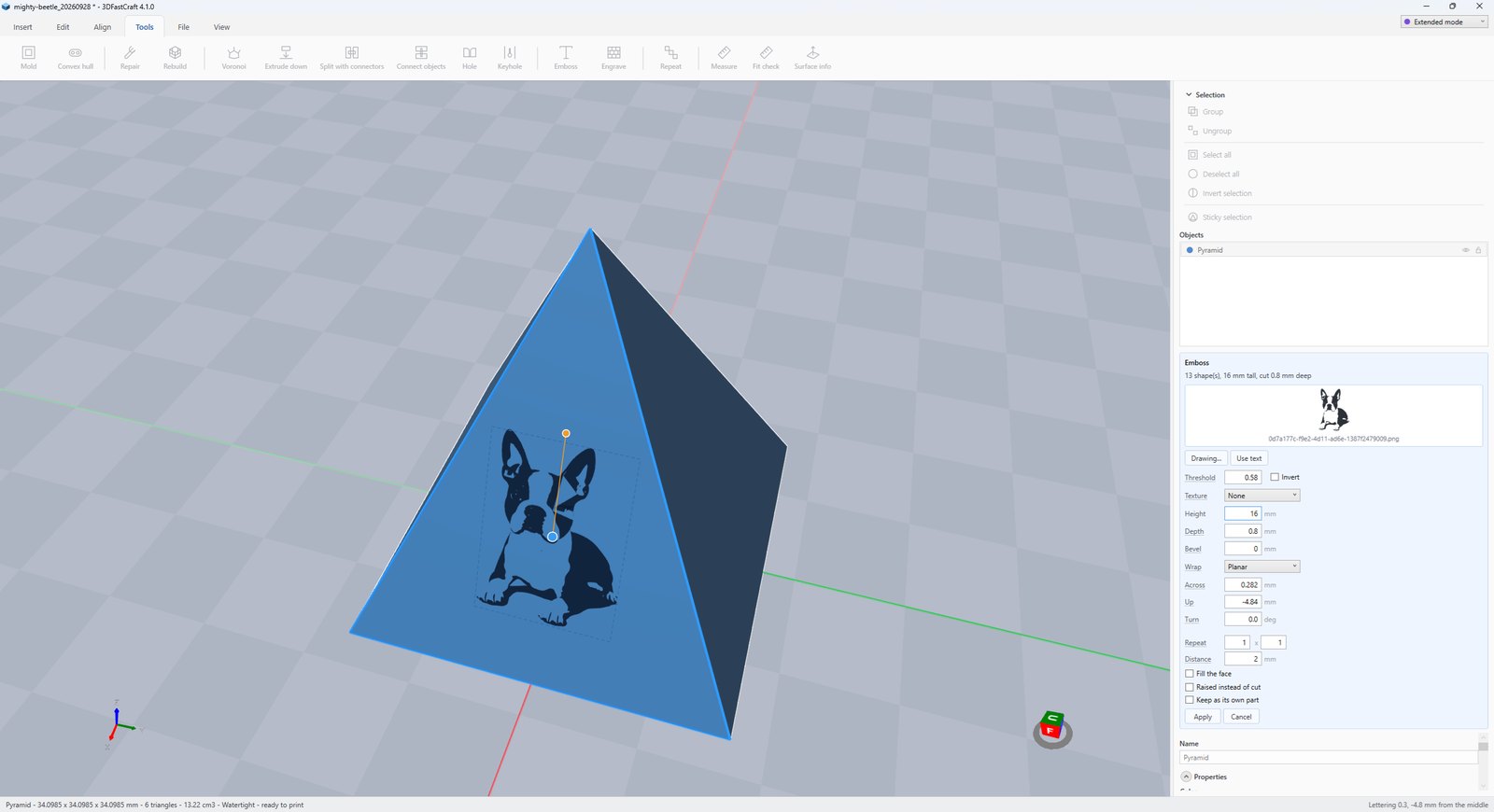
Emboss puts lettering, a drawing or a picture on a face you pick, raised or cut. Texture covers a face with one of fourteen patterns — knurling, honeycomb, brick, roof tiles, siding, rubble and coursed stone, bark, wood grain — flat, around a barrel with no seam, or around the walls of a house, and shows each pattern flat and in 3D before you apply it. Cladding builds brick, rubble, coursed stone, siding or log walls around a house the way a builder does, with whole corner bricks, cornerstones, corner posts and crossing logs.

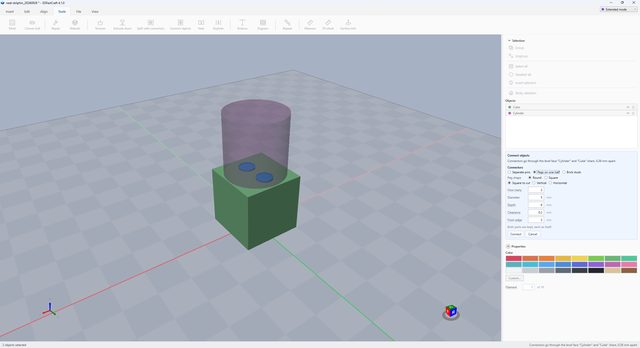
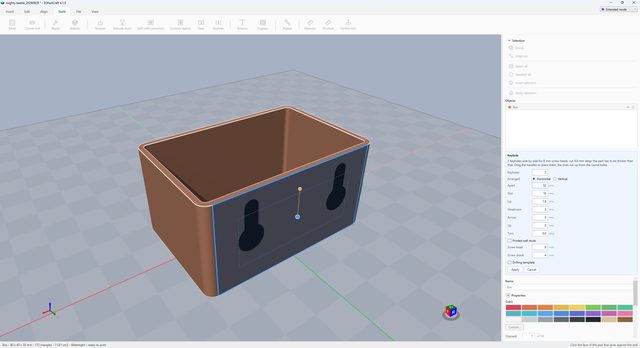
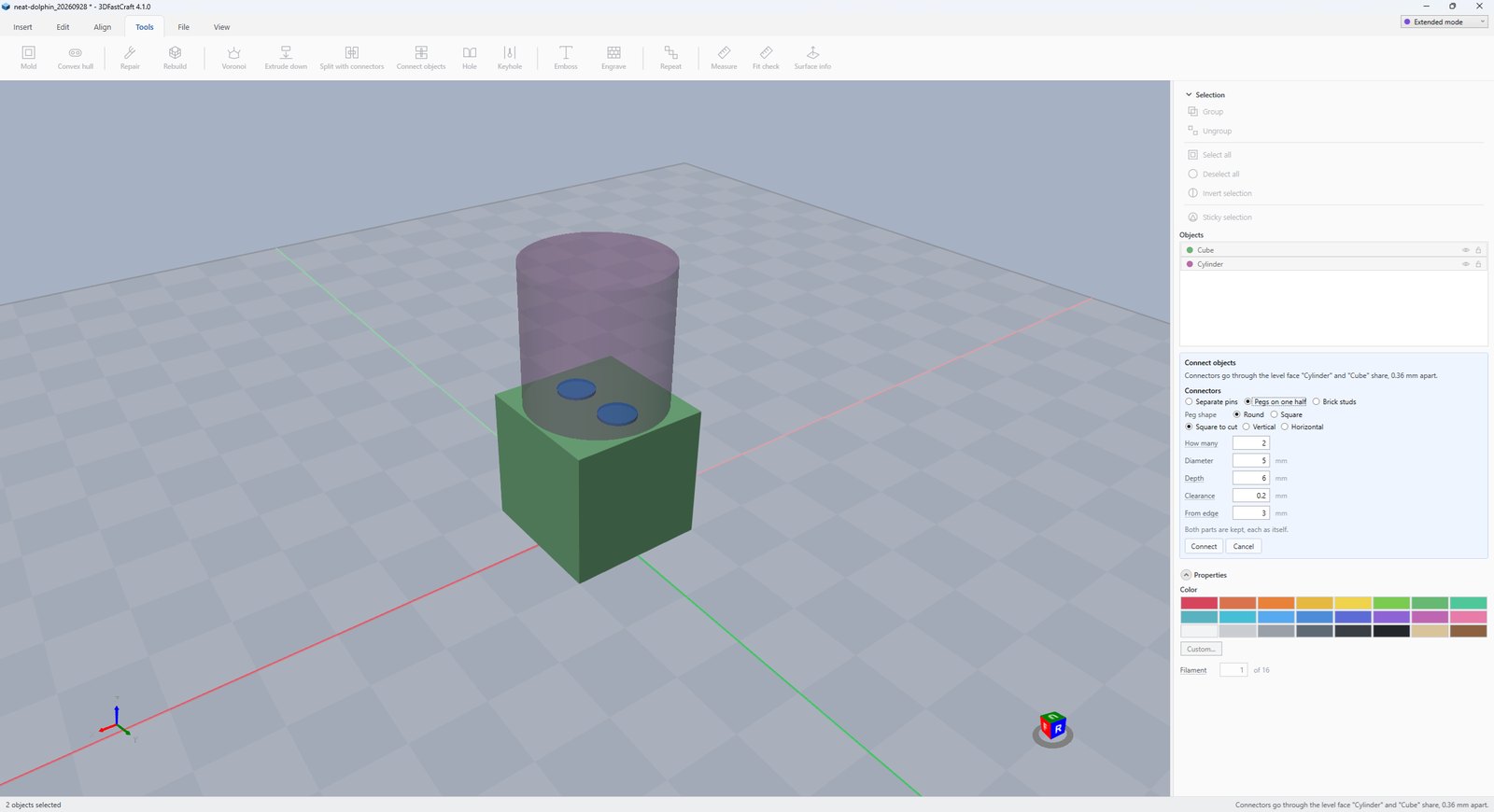
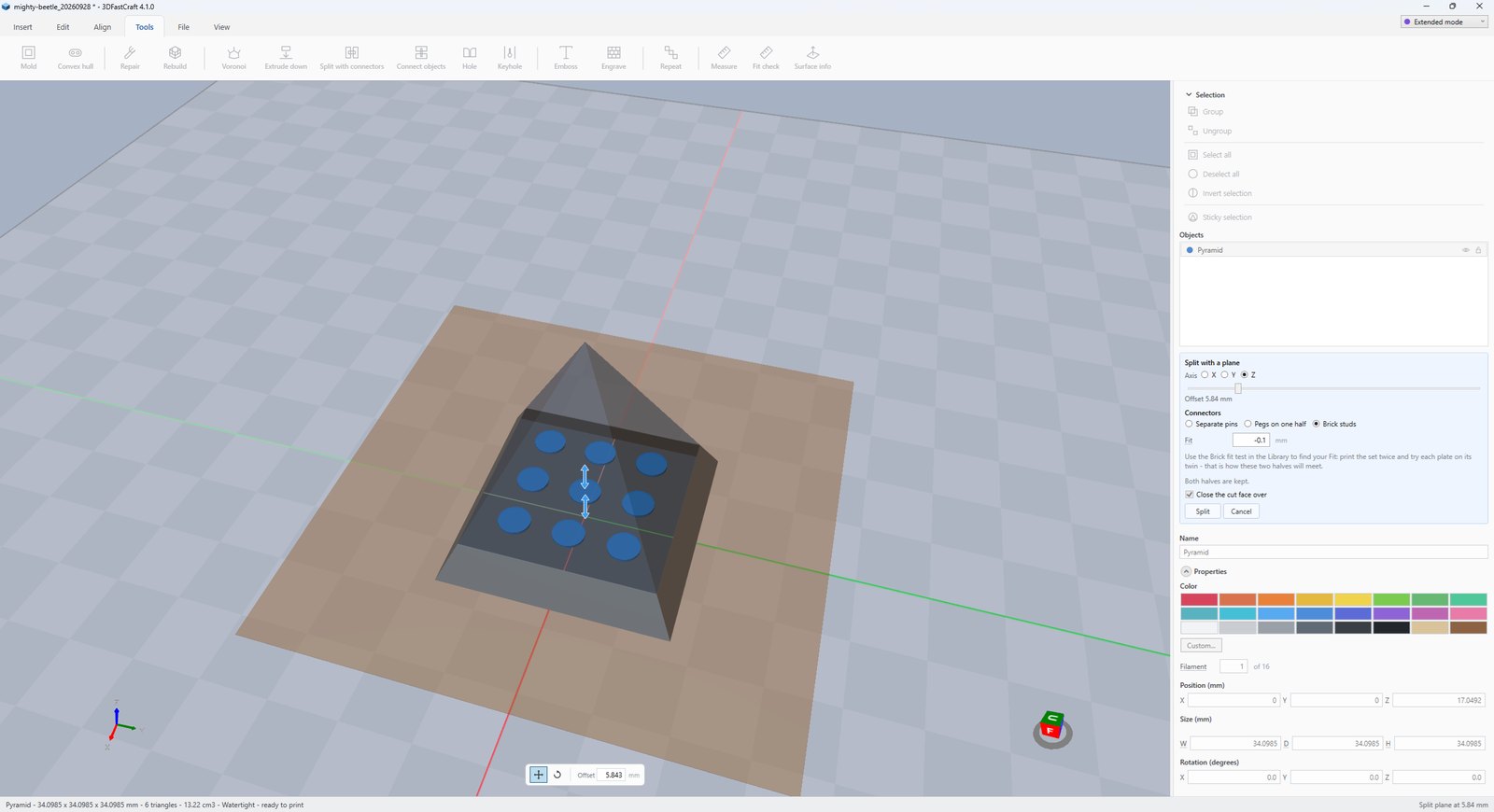
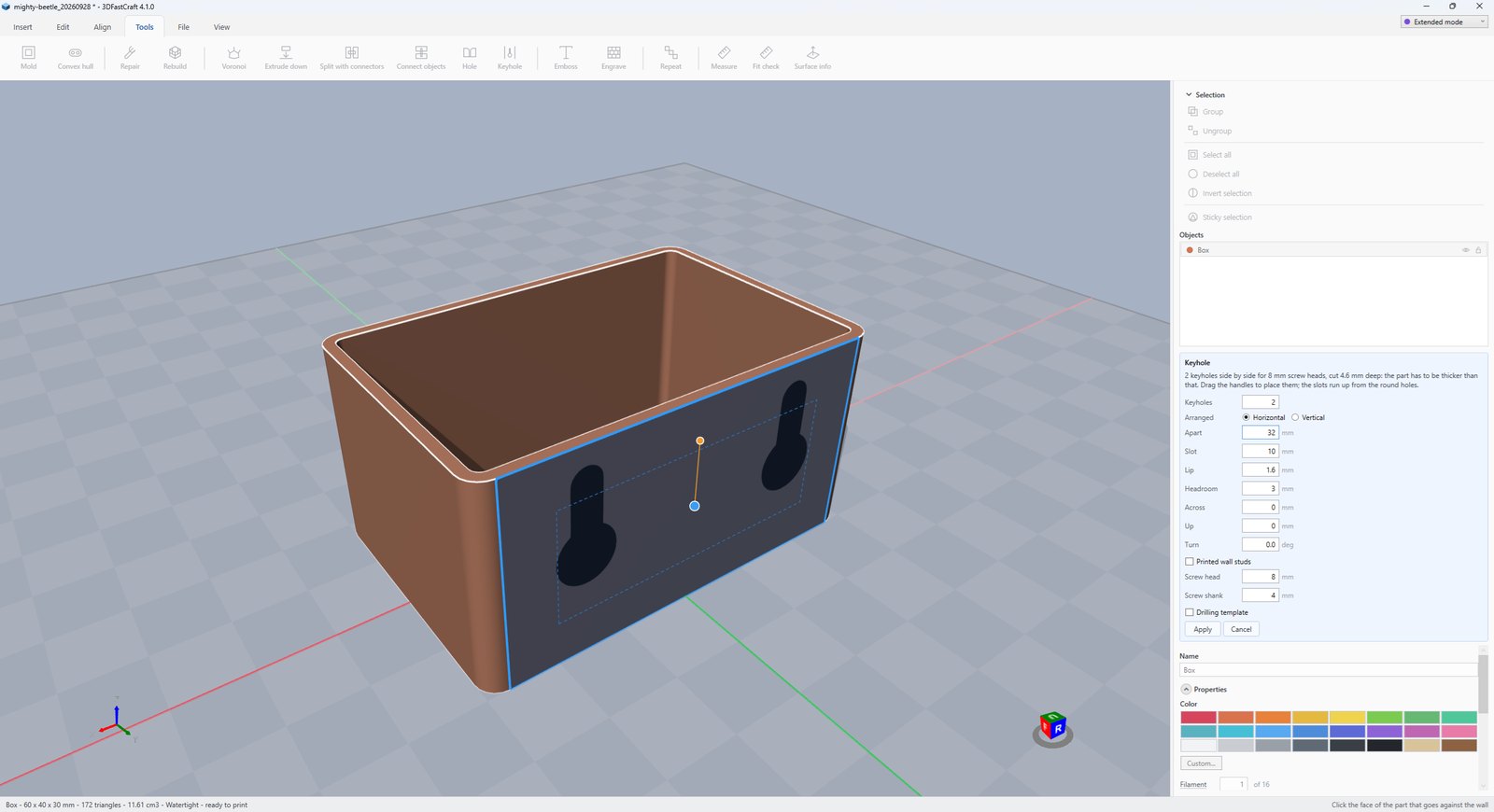
Hole cuts plain, countersunk or counterbored screw holes, nut pockets and heat-set insert pockets. Keyhole cuts slots to hang a part on a wall, with printed studs and a drilling template. Split with connectors cuts a part too big for the plate into halves that pin back together — separate pins, pegs or brick studs, square to the cut, vertical or horizontal — and Connect objects does the same for two parts that already rest on each other. If there is no room for a pin, it says how thick the wall would have to be rather than cutting one through the side.

On the plate: a scanned head between the two halves of the silicone mold made for it, and Measure along an edge of one half, snapped to its corners: 135.09 mm.
The Tools tab of 3DFastCraft: a scanned head between the two halves of its silicone mold, with a measurement along one half

§ 03.5

File

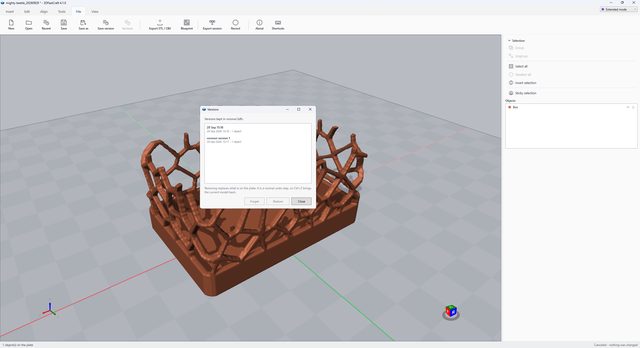
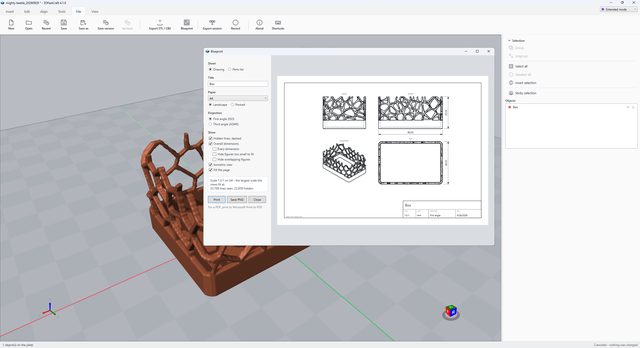
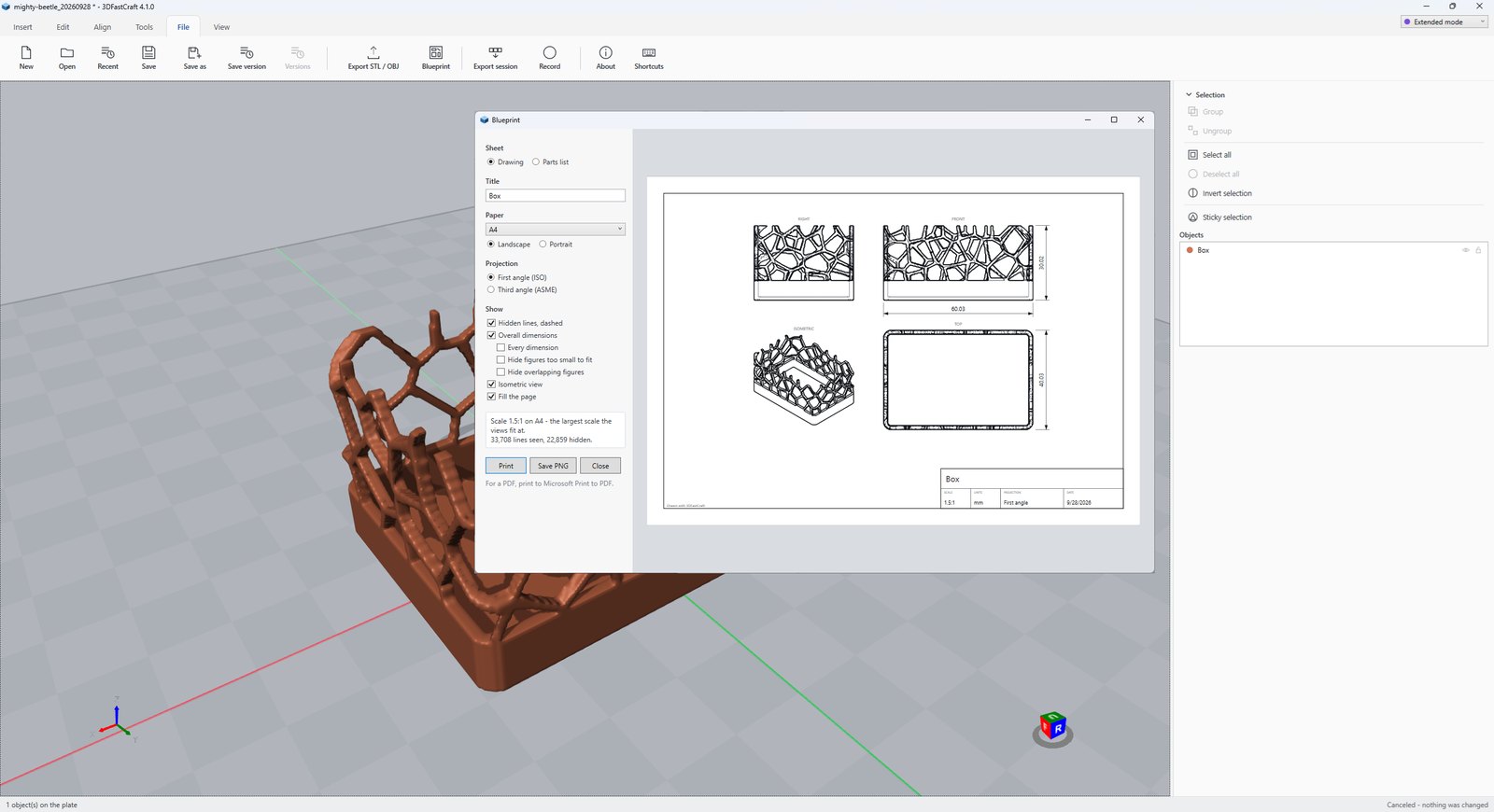
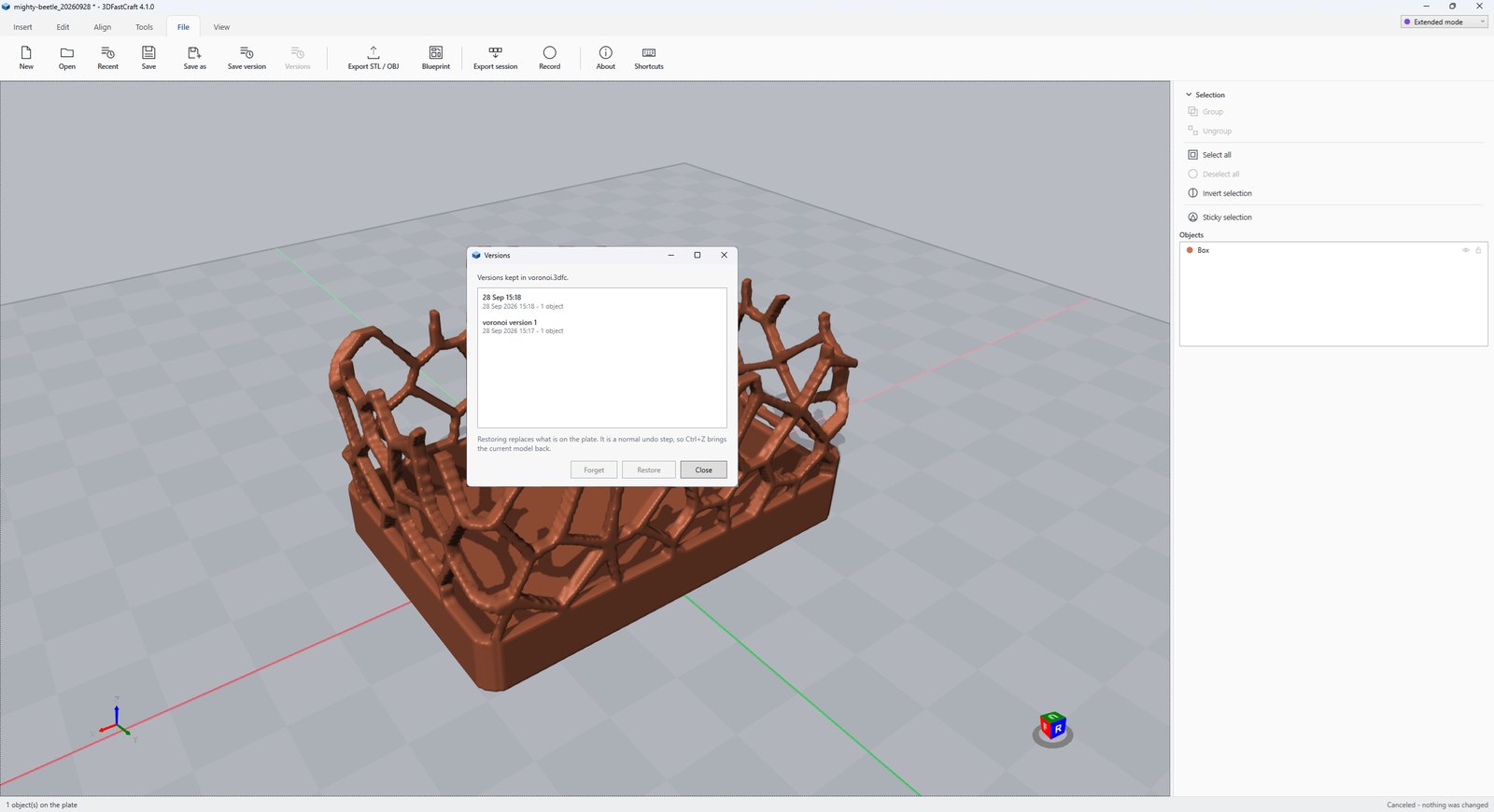
New, open, recent, save, and named versions kept inside the project file so you can go back to one — each with a small picture of the plate, so you can tell them apart by looking (Save version, Ctrl+Alt+S; Versions lists them). Export asks what to write before it writes it: everything or the selection, binary STL, ASCII STL or OBJ, and whether to drop the result to the plate; the project itself is the 3MF. Blueprint draws the model as an engineering drawing — front, top and right views and an isometric, hidden lines dashed, the overall dimensions and a title block — to print, or to save as a PDF.

The app opens on a start page — a new project, a file, your favorite projects and the last few, each with its picture. Project keeps notes in the file. Printer profile keeps a profile for each printer and filament: nozzle, layer, and the fits the tools start from. Shortcuts lists every key. Export session and Record (Advanced mode) write every undo step to a file, or a screenshot after every action.
On the screen: Export asking what to write — everything on the plate or just the selection, and which format — with the totals it is about to produce: 11 objects, 29,334 triangles, 326.6 cm³.

The File tab of 3DFastCraft with the Export window open: what to write, the four formats, and the totals it is about to produce

§ 03.6

View

Six axis views and isometric, Zoom to fit, an orthographic view with every edge drawn so a plan reads, wireframe, x-ray to see a part buried inside another, an outline, Overhangs to show in red what will need support, a grid, and the build plate at your printer’s width, depth and height. Units are millimeters, centimeters, meters, inches or feet, and every box and tool panel reads in them. Scale 1: changes no geometry at all — it tells you what a millimeter means, so a model reads in meters as well.

On the plate: the 1:87 house with its parts lifted apart, the units switched to feet and the scale list open — sixteen standard scales from full size down to 1:220, with 1:87 picked, so the floor slab reads 0.509 × 0.361 ft.

The View tab of 3DFastCraft: a 1:87 house lifted apart, with the model scale list dropped down at 1:87

§ 03.7

Custom

The buttons you use most, in one place. Right-click any button on any tab — even a grayed-out one — and choose Add to Custom tab, or tick buttons from the Add list on the tab itself. What appears there is a copy that looks and works exactly like the original; right-click one to move it along or take it off. Your choice is remembered, in Classic and Advanced mode alike.

New features§ 04

Windows 3D Builder was a beautiful thing: fast modeling for professionals and for people who had never modeled anything, with almost nothing to learn before the first part was on the plate. Microsoft retired it. This app exists to take its place: a free Microsoft 3D Builder alternative that works the same way — the same short path from a shape on the plate to a printable part. These are the thirty-two tools it adds on top.

  1. StairTreads, risers, width and a rise per turn as one object you type the numbers for.
  2. Subtract with toleranceTakes the cutter out a fraction wider than it is, so the two printed parts actually fit.
  3. Duplicate in placeA copy exactly where the original stands, ready to be cut about — or beside it, clear of it.
  4. RepeatAlong a line, around a circle or in a grid of rows, columns and layers - with a rise per step for a spiral stair.
  5. AlignLay a part on a face you pick, with every face it can rest on marked; line a selection up flush, centered or evenly spread; or move a whole selection onto the middle of a picked face, independently on each axis.
  6. Fit and distributeShrink a part too big for the bed to fit it with room to spare, or set a selection out in rows across the bed a gap apart - the bed being your printer's, width, depth and height. Each part can also be turned onto its best face and dropped to the plate.
  7. Keep on plateNothing is resized below the plate: a part that would grow into it is lifted out, where the slicer would cut it off. A part standing on the plate can still be made smaller about its middle.
  8. 3D texturesFourteen patterns — knurling, honeycomb, brick, roof tiles, siding, rubble and coursed stone, bark, wood grain — cut in or standing proud, flat, around a barrel with no seam, or around a house, and laid around openings already cut. Each is shown flat and in 3D before it is applied.
  9. CladdingBrick, rubble, coursed stone, siding and log walls built around a house the way a builder builds them: whole corner bricks, cornerstones, corner posts, logs that cross.
  10. Custom tabThe buttons you use most, in one place: right-click any button on the ribbon, even a grayed-out one, and add it.
  11. Round edgesA cube or cylinder rebuilt with its edges rounded to the radius you ask for.
  12. RebuildRemakes the surface from scratch when Repair cannot mend it.
  13. MoldA block to cast silicone in: works out which way the mold comes apart, cuts at the widest section, keys the halves together and drills the pour hole.
  14. In-file versioningNamed snapshots kept inside the project itself, each with a small picture of the plate, and a way back to any of them.
  15. Scale auto conversionSet 1:87 and every box reads in real meters beside the millimeters. Type into either one.
  16. Split with connectorsCut a part too big for the plate into halves that go back together one way only: round pins, or round or square pegs standing up out of the lower half.
  17. Connect objectsPins, pegs or brick studs through the face two parts rest on each other on - only where both have solid material, each part kept as itself.
  18. Custom shapesA cube, cylinder, cone, sphere or torus with its size, segments and roundness chosen before it is made, shown on the plate as you set them.
  19. Twist, taper and bendReshape a part by how high each bit of it stands - spirals, spires, horns - with nothing cut and nothing to tear.
  20. Brick studsStuds on any flat face, or the underside that presses onto them, on the 8 mm grid - and as a connector between two halves, gripping as a real brick does.
  21. Fit testFour small plates at four tolerances, marked with notches. Print once per filament and type the one that grips.
  22. A project with a pictureA project is a 3MF with a thumbnail, so Windows shows the model as the file's icon rather than a blank page.
  23. GearsInvolute gears, ring gears and racks, straight, helical or herringbone, cut as a gear cutter would cut them - with a bore, a hub, and a partner made already in mesh.
  24. Screw threadsISO metric M3 to M20, or any diameter and pitch: a threaded rod, a bolt, a nut, or a threaded hole cut straight into a part, with a clearance so printed parts screw together.
  25. HolesPlain, countersunk or counterbored screw holes with a nut pocket if wanted, and heat-set insert pockets, M2 to M8 in the standard sizes - one, a row or a bolt circle, moved and turned into place and cut straight into a part.
  26. BlueprintFront, top and right views and an isometric, hidden lines dashed, overall dimensions and a title block, at a standard scale - printed, or saved as a PDF.
  27. Lettering as an objectA sign, a name tag or a keychain in any installed font, lying on the plate or standing up.
  28. Hide and lockHide a part to work around it, or lock it so nothing can move it by accident - both kept in the project.
  29. Overhang checkFaces that will need support shown in red, at the angle your printer manages, before the slicer tells you.
  30. SVG importA drawing's filled shapes, holes kept, made as thick as you ask and laid on the plate.
  31. SketchDraw on the plate with lines, arcs, smooth curves or freehand, or load an SVG - then extrude it to a height or revolve it into a vase, a knob or a wheel.
  32. Convex hullWrap several parts in one skin, as plastic wrap pulled tight would: two cylinders into a slot, a row of spheres into a rounded bar.

The Library: a parametric parts generator§ 05

Parts made to your numbers. Pick one from the catalog on the Insert tab (Ctrl+L), set its sizes with the preview standing on the plate, and insert it. The part remembers how it was made — select it later and Edit settings makes it again where it stands. Walls and fits start from your printer’s nozzle, layer and clearance, and every setting either makes a sound, watertight part or says plainly, in red, why it cannot. More than forty generators in nine groups.

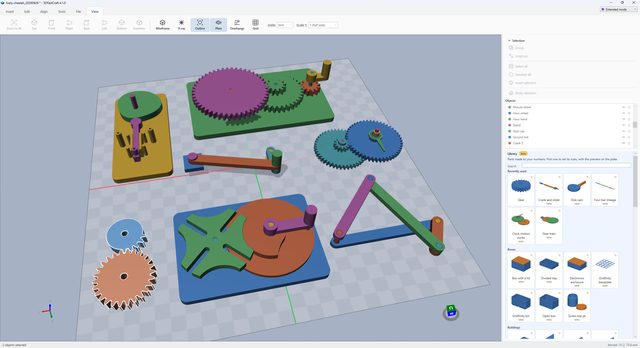
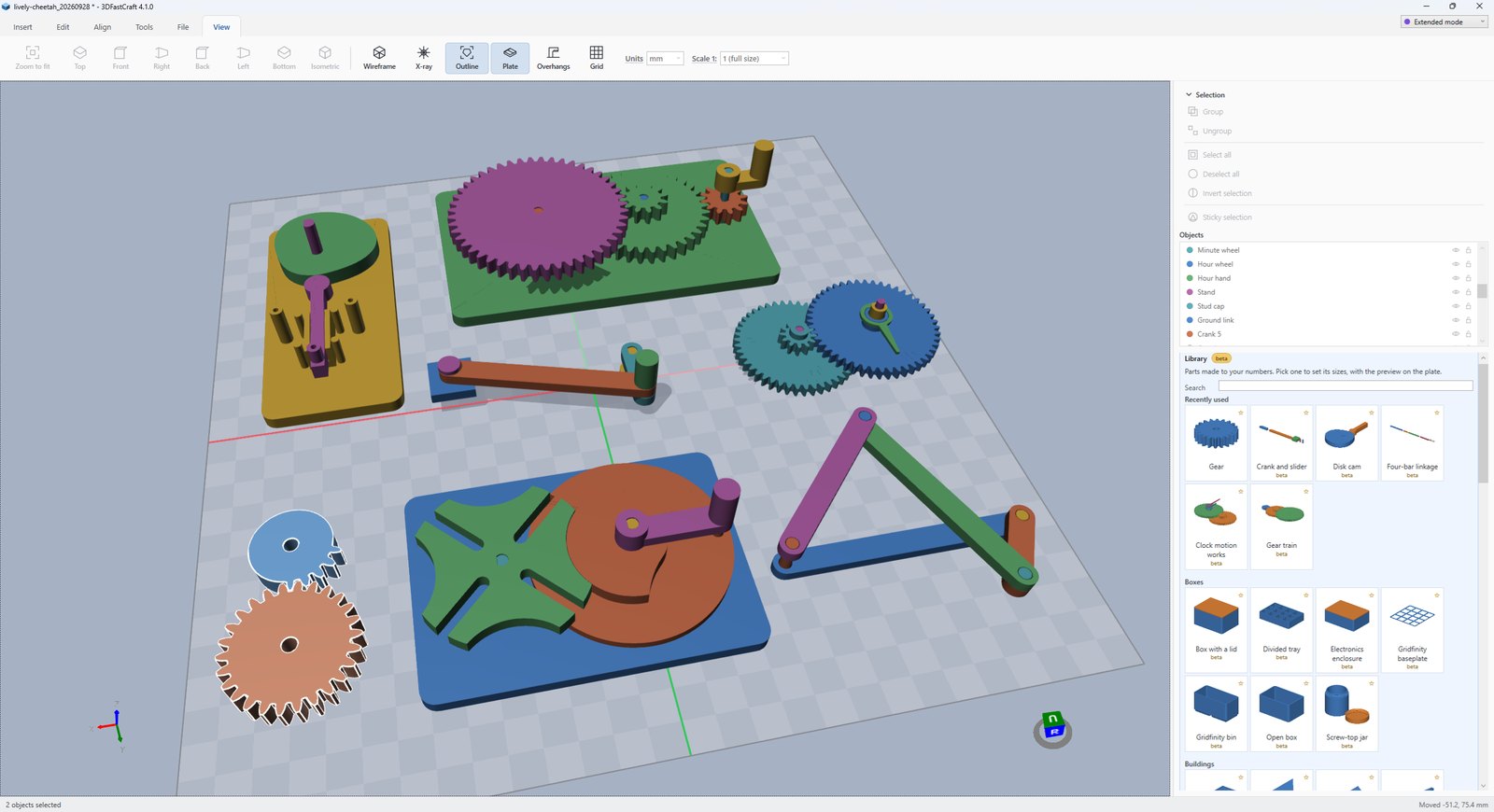
The Library: gears and mechanisms
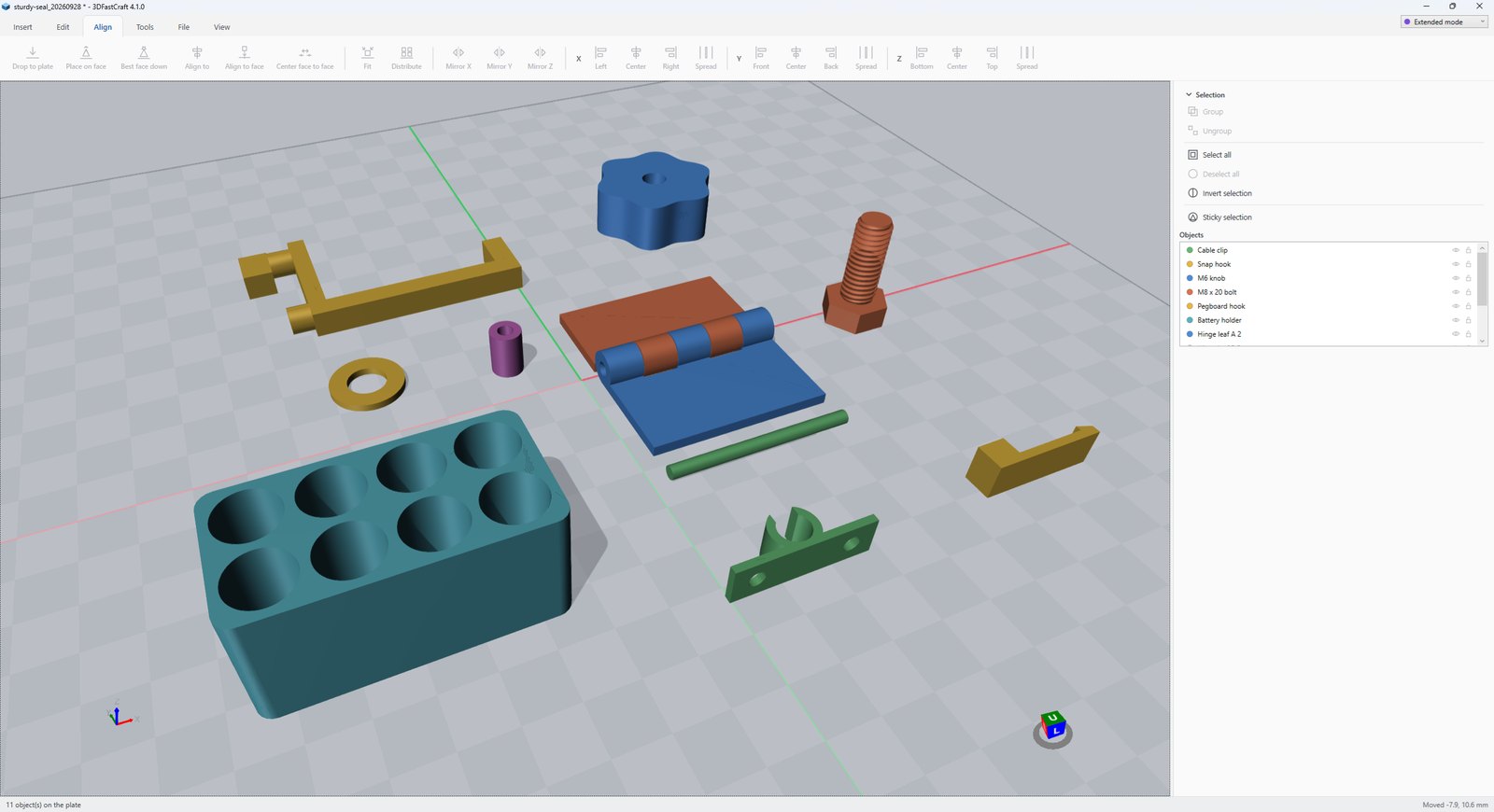
The Library: fasteners, hinges, clips and organizers
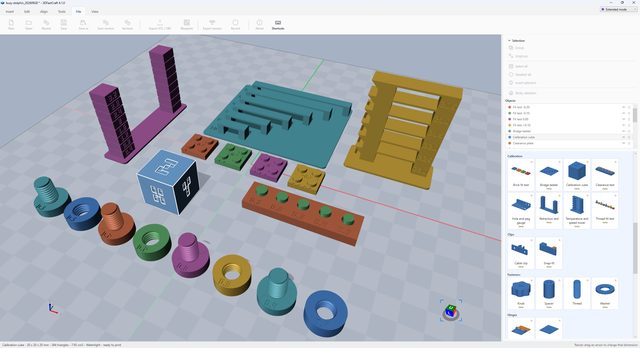
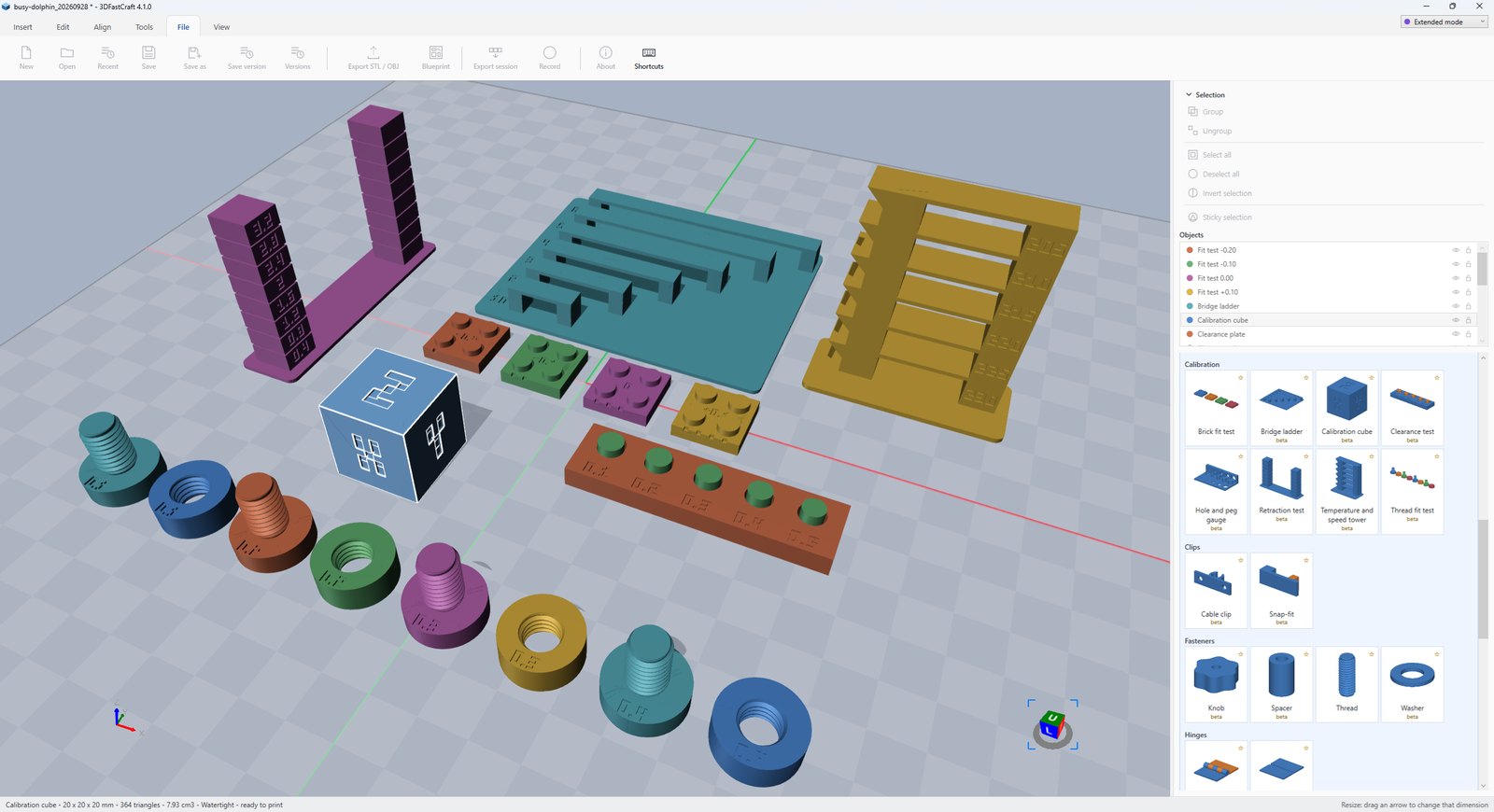
The Library: 3D printer calibration
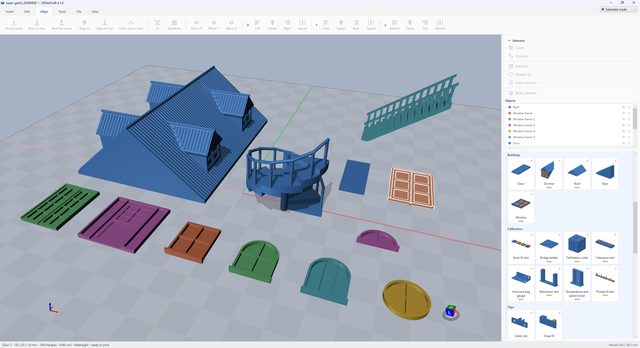
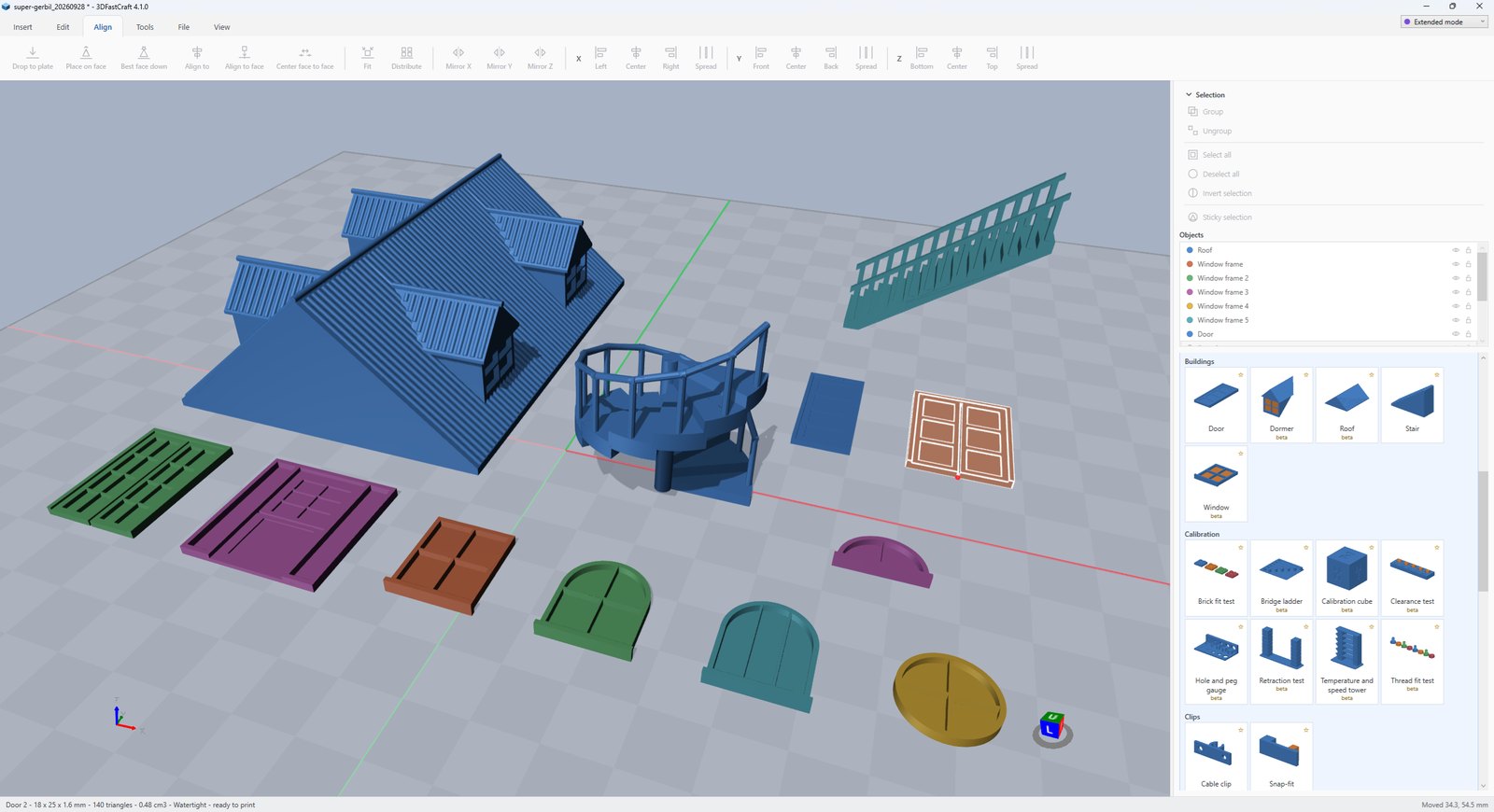
The Library: model buildings

Boxes and storage

  • Open box and traySized from the outside, walls and floor as one solid, corners rounded or not.
  • Box with lidLift-off or sliding, printed side by side and fitted by your printer’s clearance.
  • Divided trayAn open tray split into a grid of compartments, for screws, beads or anything sorted.
  • Gridfinity binA bin for the Gridfinity storage grid, in whole grid units, to the published sizes.
  • Gridfinity baseplateThe grid the bins stand in, open underneath; several print side by side to fill a drawer.
  • Screw-top jarA round jar and a lid that screws onto its neck.
  • Electronics enclosure (project box)A box for a board, with standoffs at its mounting holes and a lid.

Model buildings: HO, OO, N and more

  • Stairs, straight or spiralA straight flight arriving level with the floor above; the risers said in real millimeters at the model’s scale.
  • Model windowFixed, single hung, sliding or casement, with muntins, an architrave and false shutters, printed facade up; the glass is a part of its own, for clear filament.
  • Dormer windowA gabled dormer to stand on a roof’s slope, with its window.
  • Model doorPlain, paneled or glazed in its frame, and a warning when people would have to stoop through it.
  • Model roofGable, hip, half hip, lean-to, gambrel, mansard or flat, hollow to sit on the walls, tiled, slated, shingled or sheeted.

Gears and mechanisms

  • Gear generatorInvolute spur, helical, herringbone, ring, rack, bevel and worm, with a partner made already in mesh.
  • Gear trainCompound spur gears to a ratio, the tooth counts found for you.
  • Planetary gear setSun, planets, ring and carrier, the tooth counts checked so every planet meshes.
  • Geneva driveA driver stepping a slotted wheel around one slot a turn.
  • Cam and followerA disk cam that lifts its follower by the rise, dwell and return you choose.
  • Clock gears (motion works)The wheels behind a clock’s hands, twelve to one, with the hands and a stand to turn it by.
  • Four-bar linkageFour links and their pins, with what the linkage does worked out beside them.
  • Crank and sliderA crank, a rod and a slider block, with the stroke worked out.
  • Print-in-place bearingTwo races and the balls between them, printed together.
  • Working models to printAny of them as a set to print and turn by hand: a base, gears keyed on D-shafts, a crank or a handwheel, guides that print without supports.

Screws and fasteners

  • Screw thread, bolt and nutISO metric rods, bolts, nuts, and threaded-hole cutters cut straight into a part.
  • Washer (ISO 7089)Plain washers, ISO 7089 sizes to start from.
  • Knob with nut pocketA hand knob with a pocket for a nut or a bolt’s head.
  • Spacer and standoffA tube to hold two parts apart on a screw.

Hinges

  • Knuckle hinge, print-in-placeTwo leaves and a pin, printed in place or with the pin separate.
  • Living hingeTwo plates joined by a thin web that bends — PP or PETG; PLA cracks.

Clips and snap-fits

  • Snap-fit jointA cantilever hook and its catch, sized so the beam bends without breaking.
  • Cable clipSnap-in clips side by side on a strip, to screw or stick down.

Organizers

  • Drawers and cabinetA cabinet and the drawers that slide into it, each with a pull.
  • AA and 18650 battery holderA block with a pocket for every cell, in rows and columns.
  • Pegboard hookFor one-inch pegboard with quarter-inch holes.

Lithophanes and lamps

  • Lithophane and lithophane lampA photograph as a thin plate, flat or curved, or several pictures as a lamp of three to twelve sides on a base for an E26 or E27 socket.
  • Moon lamp (lithophane)A hollow moon with craters and seas in its wall — made up, or from NASA’s map of the real moon.

3D printer calibration

  • Calibration cubeThe 20 mm cube, labeled with its axes, to check dimensions.
  • Temperature and speed towerWalls, a bridge, an overhang and a flat top in each band, one temperature to a band.
  • Retraction testTwo towers in numbered bands: the least retraction that leaves no strings.
  • Bridging testA ladder of bridges, shortest to longest.
  • Clearance, hole and peg gaugeWhat fits, and how tightly, on your printer — with brick and thread fit tests.

How it works

  • A catalogPictures of every part, search, favorites, and presets for the sizes people make most — an AA holder, an M3 nut, a Georgian window.
  • Turn itA mechanism turns on the plate before you insert it. Each part moves only when something pushes it, so a gear, a Geneva wheel or a clock’s hands go around as the printed parts will — and a jam stops it, with the two parts that met shown red.
  • Settings that go wrong say soNumbers that cannot be made are said in red beside them, not in a dialog, and nothing is inserted until they can.
  • At the model’s scaleSet 1:87 and a stair, a window, a door or a roof says what it would be full size.
  • Room on the plateA new part lands clear of what is already there.
  • Still marked betaMost parts, until they have been proved in real prints: check one before a long print. Stair, Thread and Gear come from 3.3 with the same settings as before.

Screenshots§ 06

The Library, the tools that work on a face, and what the File tab keeps. Click any of them to see it large, with what it shows.

The Library: gears and mechanisms
The Library: fasteners, hinges, clips and organizers
The Library: 3D printer calibration
The Library: model buildings
Connect objects
Connect objects
Split with connectors
Emboss a picture
Emboss a picture
Keyhole
Keyhole
Align to face
Align to face
Center face to face
Center face to face
Voronoi
Voronoi
Surface
Surface
Versions in the project file
Blueprint
Blueprint

Download§ 07

3DFastCraft 4.7.0

One self-contained file. No installer, no .NET runtime, no account. Download it, double-click it.

Windows SmartScreen will object the first time — the executable is not code-signed. More info → Run anyway.

SHA-256c88c3997ceafa961a2893ecbf9e1fcc6393064a8502732aec75f64d6b495ed29

Needs

  • Windows 10 or 11, 64-bit
  • Graphics that do Direct3D 11 — integrated is fine, no separate card needed
  • About 400 MB of disk

New in 4.7 and 4.6

  • 4.7.0 runs on .NET 10 — nothing to install, the exe still carries everything — with a tidier Surface panel and a crash report that says what went wrong
  • Rebuild can keep the shape: only the corners stay, every flat face is filled again from its outline, and the web of thin triangles a subtract leaves is gone — optionally cut into even triangles for Smooth or a texture
  • Grow and Shrink move every face by the same distance — walls thicker or thinner, gaps narrower or wider, corners sharp; Trim cuts a part back round its outer edge only, for an insert that has to fit inside other walls
  • Surface clones a face as a thin solid standing on it, its outline grown or shrunk for a frame or a gasket, and lays one face again from its outline
  • Measure snaps to the corner nearest you, follows the pointer, chains several points with a total, reads the slope of a stretch, and keeps earlier measurements on screen
  • An orthographic view with every edge drawn, so a plan from the top reads
  • A start page with your favorite projects and their pictures; notes kept in the project; the window back where it was

Also new in 4.5.3: Mirror reflects a selection as one, so parts change sides. In 4.5.2: a type for the Window with muntins, an architrave and shutters, Align to face on the middle of a hole, and a guide page for each of ten tools. In 4.5.1: every pattern shown flat and in 3D, siding and stone with no groove, a small picture with each saved version. In 4.5.0: a Custom tab for the buttons you use most, Extended mode folded into Advanced, the pointer’s X and Y read off the axes while you sketch. In 4.4: textures with no seam, assemblies, arched doors, dormers as parts of their own. In 4.3: projects are 3MF files, Esc in number boxes. In 4.2: printer profiles and their test print, Fill up, Library parts resized on the plate, number boxes that take +=5. In 4.1: the Library with working models, lithophane lamps and the moon, keyholes, pictures embossed, and the app in American English.

Full release notes →